Template Library for Form Builder, Email Builder, & More

You can now save Sections, Rows, & Elements to your new Template Library and re-use them at will.
Organize your templates with folders. Preview templates from the library. It's pretty great.
Adding a Template to Your Library
You'll find a new icon is available when working with any Section, Row, or Element:
Save a Section to Your Library:
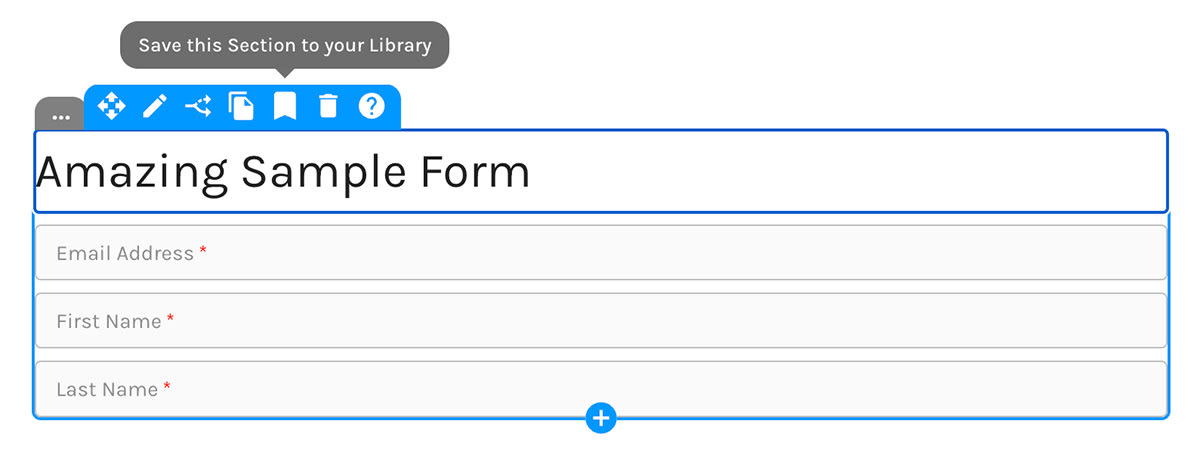
Save a Row to Your Library:
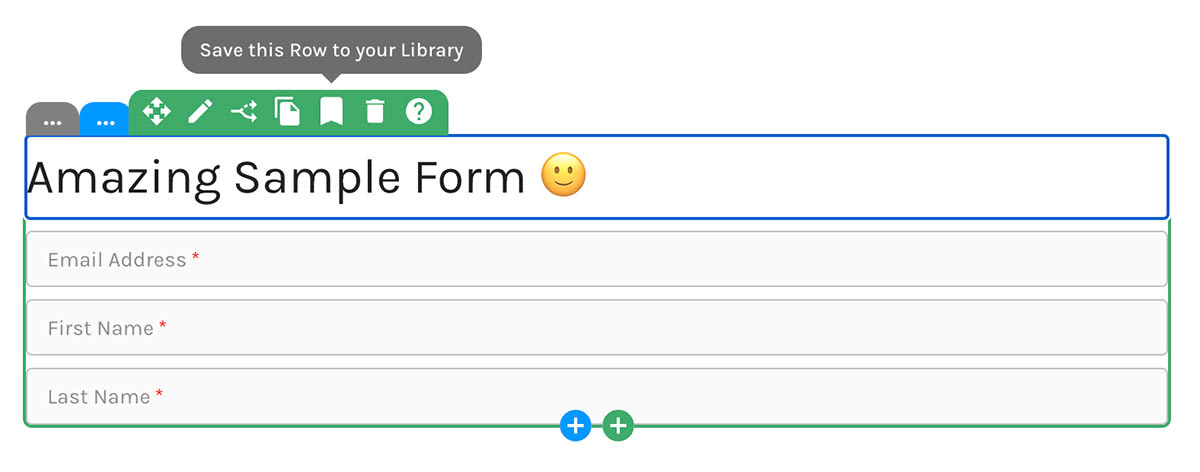
Save an Element to Your Library:
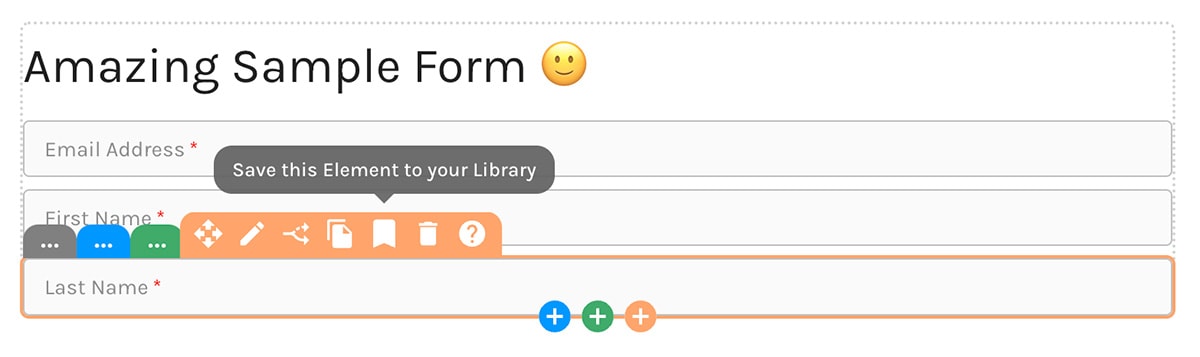
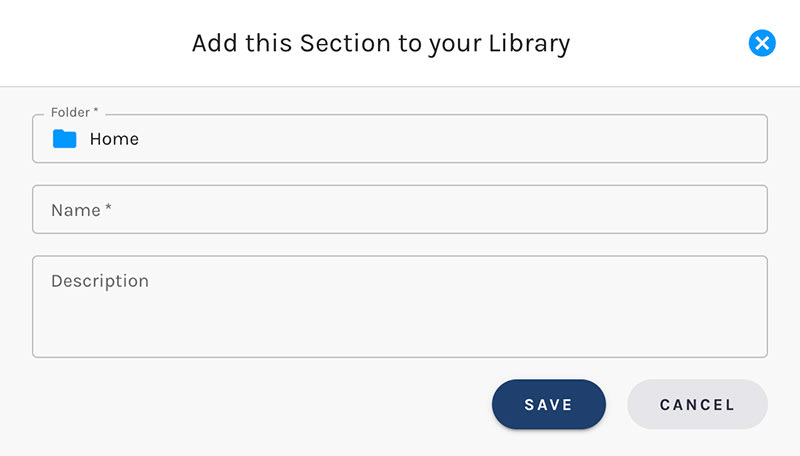
Name Your Template, Choose a Folder
Give your new template a name. You can change template names at any time.
Decide which folder to store your template in.
Save a Section to Your Library:
Adding Templates From Your Library
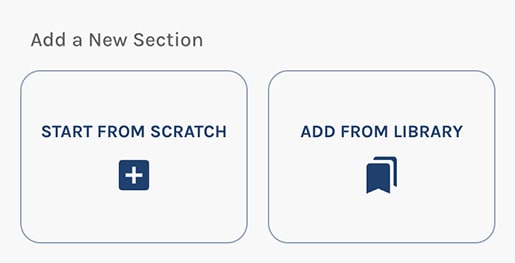
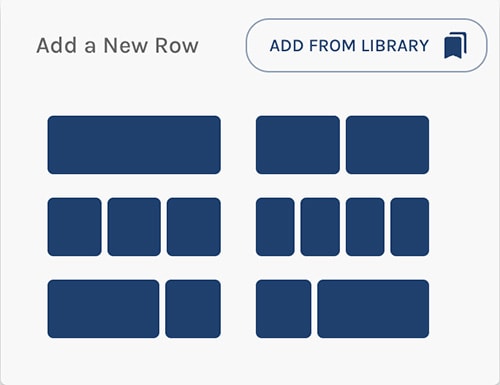
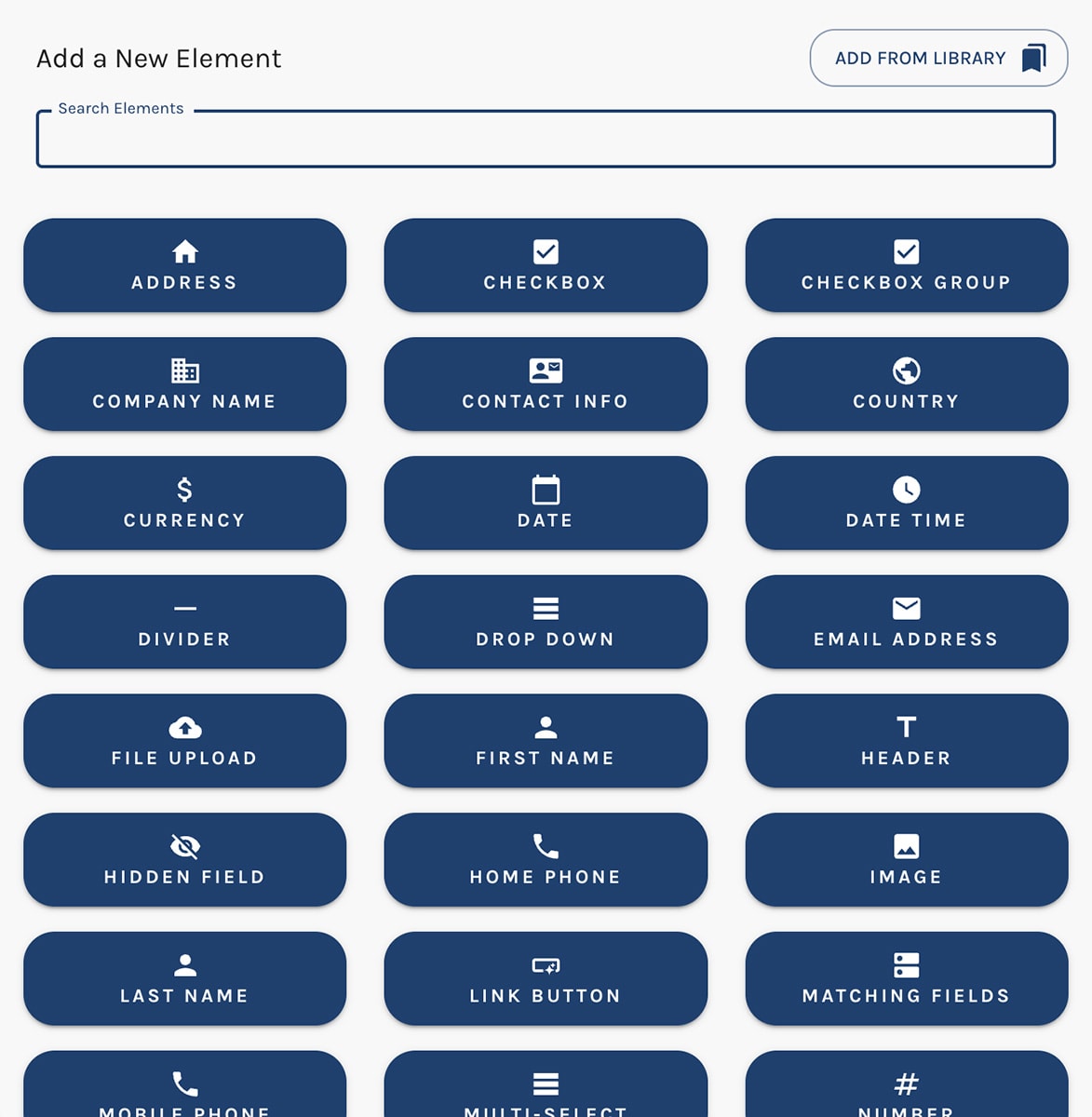
You'll notice new "Add From Library" buttons when adding new Sections, Rows, or Elements.
Adding Sections
This one's pretty hard to miss. 🙂
Add a Section frorm Your Library:
Adding Rows
The "Add From Library" button appears at the upper right when adding a new Row.
Add a Row frorm Your Library:
Adding Elements
The "Add From Library" button appears at the upper right when adding a new Element.
Add an Element frorm Your Library:
In the Template Library
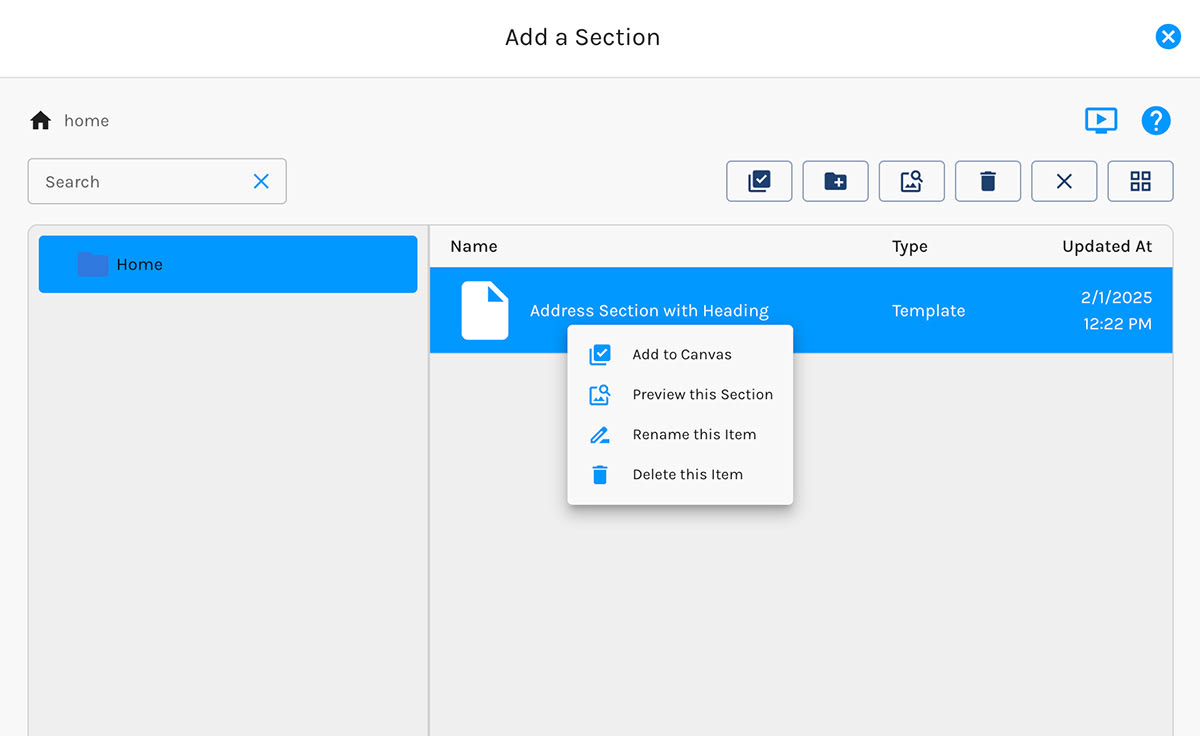
The Template Library knows if you're adding a Section, Row, or Element. When adding a Section, for example, it will only show Section templates.
Per the screenshot below, when you right-click on any template, you have options to:
- Add the template to the Canvas
- Preview the template
- Rename the template
- Delete the template
You may also use the icons at the upper right to perform these actions.
Add an Element frorm Your Library:
Templates Already Work with the New Email Builder
Progress on the all-new email builder is excellent. We expect to open it for beta access in February. The experience is 100% consistent with the new form builder: If you love the form builder, you're going to love the new email builder.
You'll find that the ability to save Sections, Rows, and Elements to your Library is ready and waiting for you in the new email builder.
Coming Soon: Brand Kits, Dark Mode, Global Templates, & Form Templates
We will be releasing a truckload of goodness in the coming weeks/months:
- Brand Kits: Create one or more Brand Kits and use those styles when creating new forms and emails
- Dark Mode: The form builder will soon support building forms for use on sites with a dark theme or mode
- Global Templates: You'll have the ability to create "global" templates that, when edited, are automatically changed in every form (or other object) where they are used
- Form Templates: We'll be adding multiple templates for creating forms of various types: contact forms, event registrations forms, etc. Exciting stuff! 🤩 🤩 🤩


