Visual, Flexible Automation Built for MOps
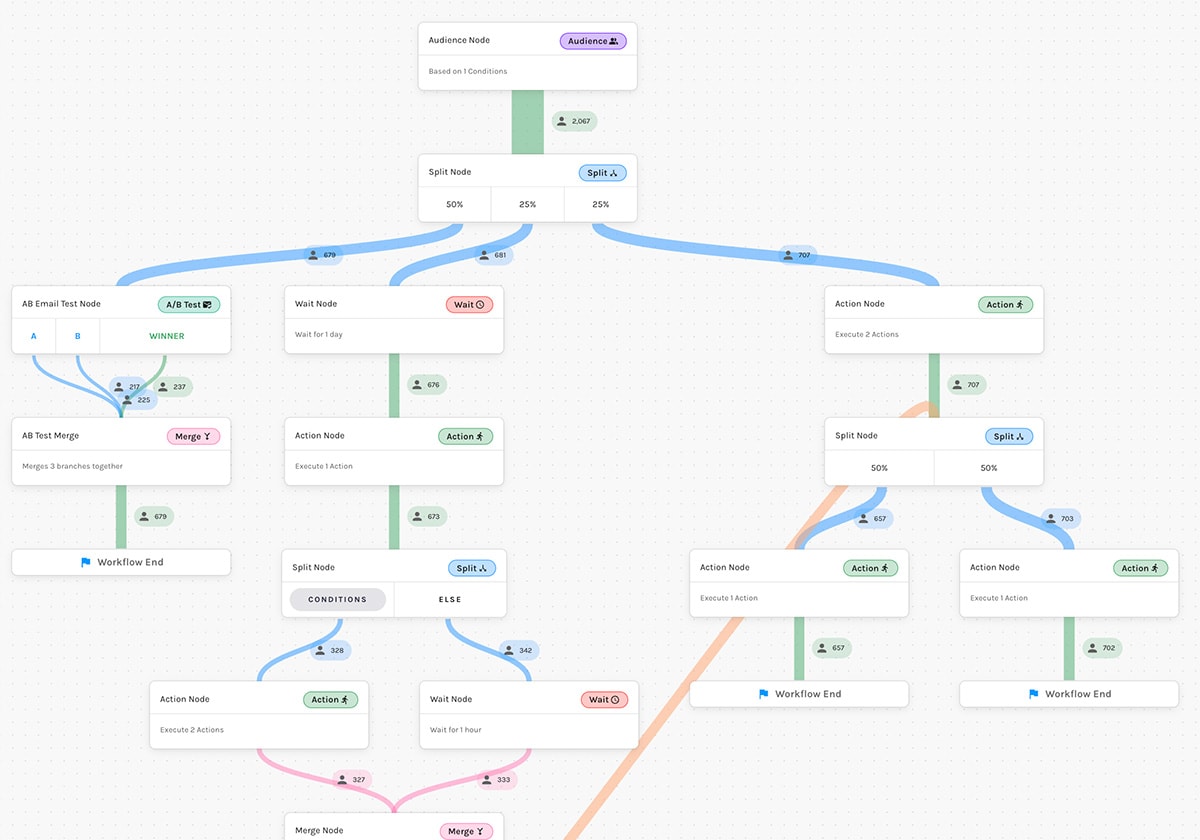
Design and optimize prospect and customer journeys using clear, visual workflows. Scale campaigns, incorporate logic, and personalize branches — all from one platform, with every step visible at a glance and every action executing in the order you define.
Two Automation Engines
Two different jobs. Two purpose-built tools.
Paminga gives you both a Workflow Builder and a Drip Series engine because the right tool depends on what your program actually requires — not what the platform forces you to use.
Engineer the Flow. Eliminate the Friction.
Logic-driven components built for the operator's mental load.
Visual Workflow Builder
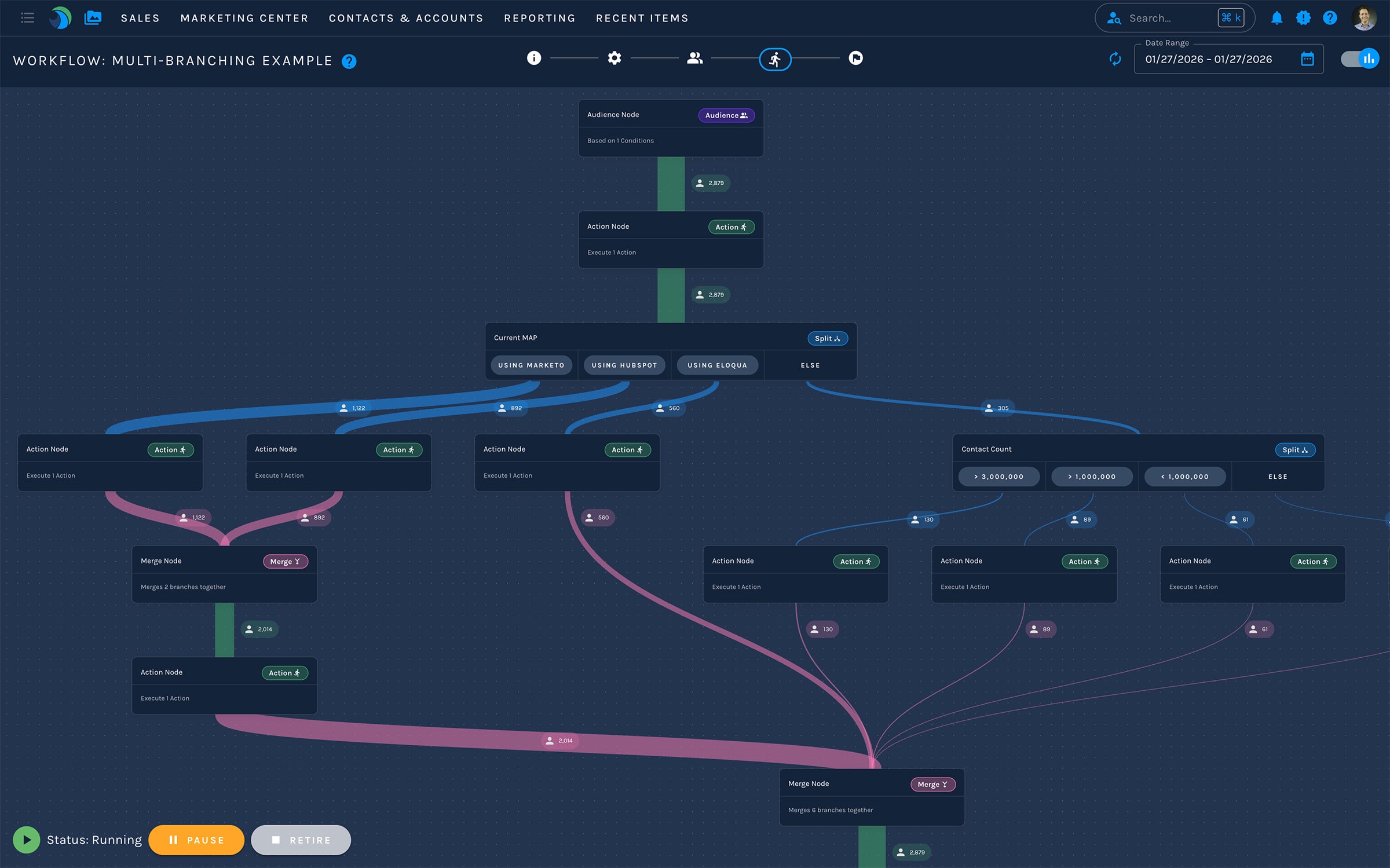
Design and manage end-to-end journeys in a single visual canvas — with every step, condition, and outcome visible at a glance. Every action completes before the next begins. No race conditions. No hidden execution order.
Edit live workflows without taking them offline or rebuilding from scratch. Make changes in production. They take effect immediately without disrupting contacts already in motion.
Multi-Variant Messaging & Testing
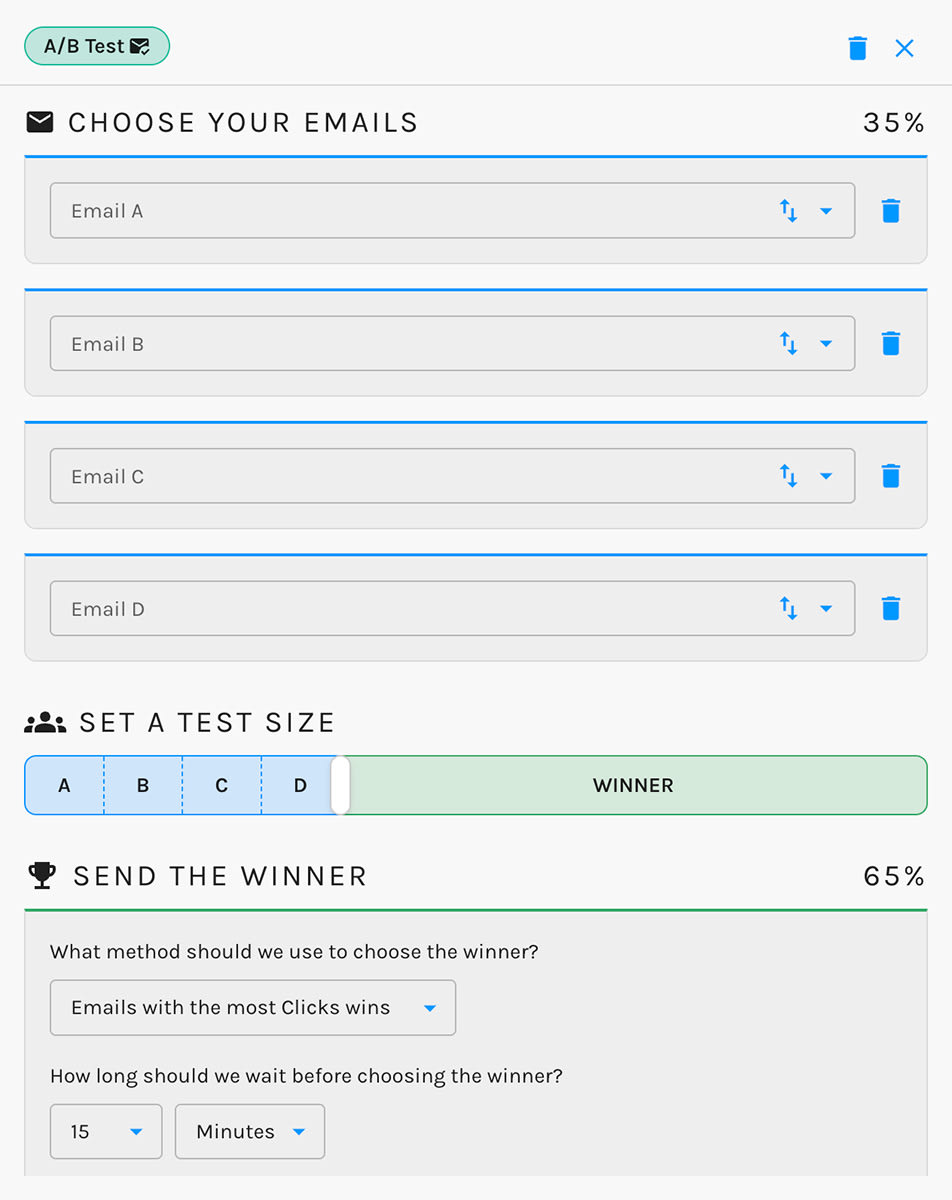
Run meaningful message tests without duplicating assets or stitching together reports — everything lives in one place. Test up to four email variants at any point in the workflow and let performance data determine the path forward.
Conditional display throughout: build and maintain conditional journeys without losing visibility or control.
Built for the Architect, Not Just the End-User
Every capability your programs actually require.
Cross-Channel Orchestration
Design and manage journeys that span every channel in one place — email, social, paid media, CRM actions, and more.
Paid Media Audience Management
Add, remove, and sync paid media audiences directly from your workflows — no manual exports or spreadsheet handoffs.
Built for Change
Update live journeys without breaking logic or starting over. Changes take effect immediately without disrupting contacts already in motion.
Event-Centric Journeys
Connect registration, attendance, and follow-up into one automated flow — for both digital and in-person events.
Campaign-to-CRM Alignment
Map campaigns directly to CRM structures — leads, contacts, opportunities, tasks — without custom workarounds or admin tickets.
Real-Time Visibility and Control
See exactly how contacts move through every step of a journey — which node they're in, what triggered them, what happens next.
Key Features
Go deeper on what matters to you.
See It in Action
See how Paminga's automation engines handle the complexity your programs actually require.



Built with pride in Denver, Colorado, USA
Copyright © Paminga, Inc. 2026All rights reserved. Various trademarks held by their respective owners.