Data You Can Trust. Integrations You Control.
Own how data moves across systems — without admin bottlenecks or support tickets. Marketing owns the integration in Paminga: field mappings, sync behavior, and timing are all self-service, configurable without a CRM admin, and designed to keep both systems current.
CRM Integrations
Sync data bidirectionally. Marketing owns the integration.
Sync data bidirectionally with full visibility and control. Marketing owns field mappings, sync behavior, and timing — no CRM admin required. Paminga honors your CRM's field types, picklist constraints, assignment rules, and duplicate prevention logic natively.





Data Residency
Where Your Integrations Actually Run
Your integrations run wherever your account is hosted. On a EU account, that's not just your contact data — the CRM sync itself, authorization, credentials, and sync workers all run from EU infrastructure, so a Salesforce or Dynamics connection doesn't detour through the US to work.
Separate AWS Account
Its own VPC, databases, object storage, and credentials — no shared infrastructure, no network route back to the US.
EU Compute, Not Just EU Storage
The application itself — API, background workers, CRM sync — runs in eu-central-1, not just your database.
In-Region Logs & Backups
Application logs and encrypted backups stay in-region, with capped retention and no cross-border replication.
EU accounts get this without changing anything else about how Paminga works — same builders, same automations, same reporting, just hosted where your data needs to stay. See EU Hosting →
Actions & Triggers
Turn integrations into active automation components.
When data enters or changes in Paminga — from a CRM sync, a form submission, a lead score threshold crossing, or any audience builder condition — you can trigger any combination of actions automatically.
Trigger record creation in your CRM.
Paminga only creates or updates records in your CRM when you explicitly ask it to — via the Sync to CRM action. Define the conditions: form submissions, lead score thresholds, workflow steps, goal achievements, or any audience builder condition.
Create leads, contacts, accounts, opportunities, tasks, and cases. Assign them to the lead owner on record automatically.
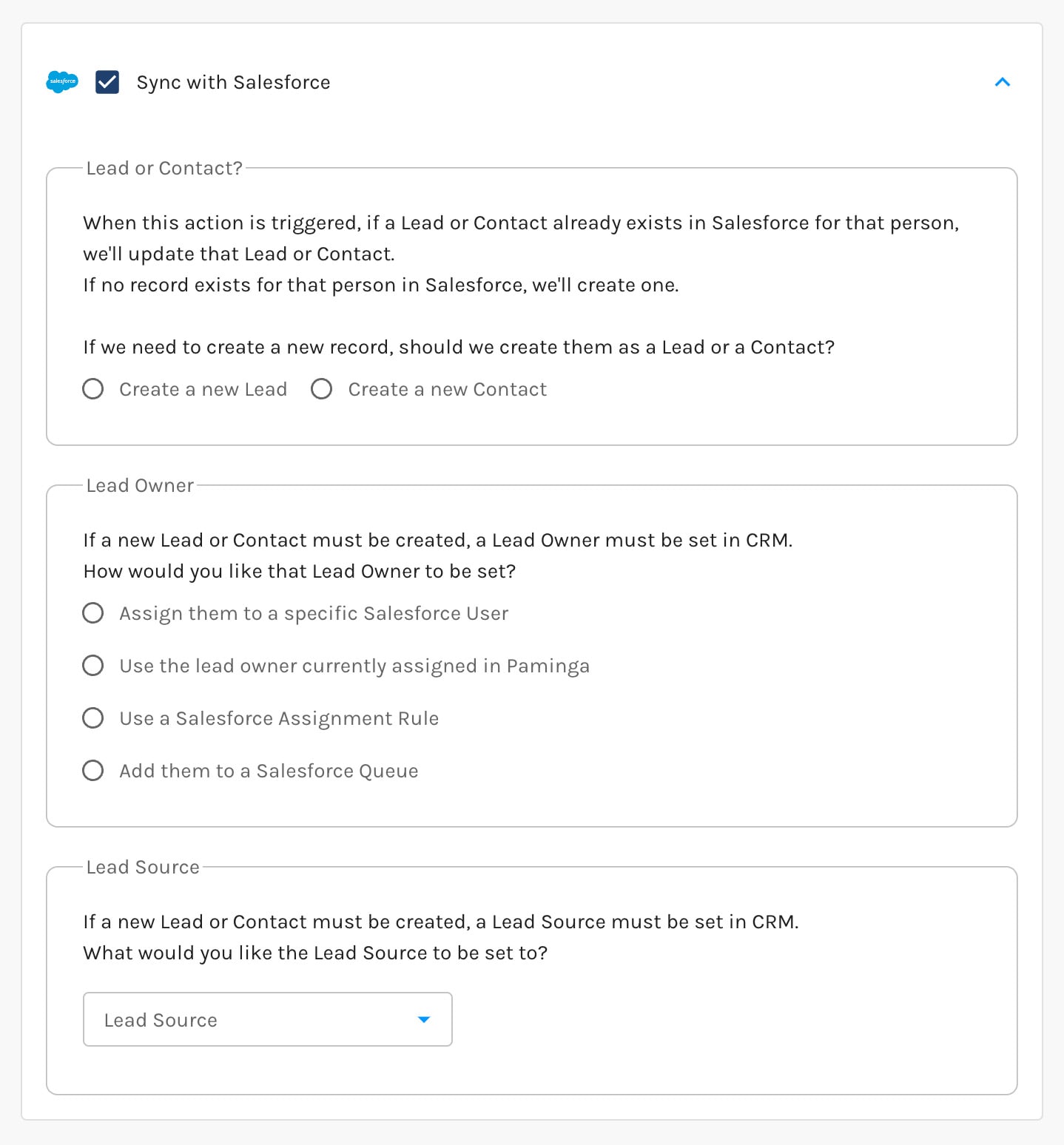
React when CRM data changes.
When CRM data enters or updates in Paminga, trigger workflows, adjust lead scores, update lists, set field values, send notifications, or fire webhooks — automatically, in the order you define.
Actions execute sequentially. Every action completes before the next begins. No race conditions. No unpredictable processing order.

True Order of Operations
Automation runs in the order you define. Every time.
Automation should run in the order you define — not according to hidden system logic. With Paminga, actions execute sequentially by design. No unpredictable refresh cycles. No unexpected triggers. What you map is what runs.
Simultaneous execution
Actions A and B process simultaneously — conflict
CRM sync fires before normalization completes
Winner is unpredictable — depends on system timing
Rogue values reach your CRM before they're caught
Sequential execution
Step 1 completes before Step 2 begins
Normalization completes before CRM sync fires
Every action runs in the order you defined
Clean, consistent data reaches your CRM every time
API & Webhooks
Beyond native integrations.
Need to go further than a native connector? Your developers have direct access.
API
A full GraphQL API gives your developers direct, programmatic access to your Paminga data — leads, contacts, campaigns, and more — through a single endpoint. Build exactly the integration your stack needs, on your own timeline.
Webhooks
Webhooks notify your systems the instant something happens in Paminga — a form submission, a status change, a workflow trigger — no polling, no manual exports, no waiting on a batch job. Your other tools stay current in real time.
Key Features
Go deeper on what matters to you.
See It in Action
See how Paminga's integrations keep your data clean, current, and in sync — without admin bottlenecks.



Built with pride in Denver, Colorado, USA
Copyright © Paminga, Inc. 2026All rights reserved. Various trademarks held by their respective owners.