AI That Knows Your Business and Your Instance
Ask it why your numbers moved. It classifies your database, audits your setup, and builds from your brand voice and ICPs. Everything it builds is a draft you review.
What Paminga IQ does
Ask it, let it sort your database, let it build.
Ask and watch
Stop building a report to answer a question.
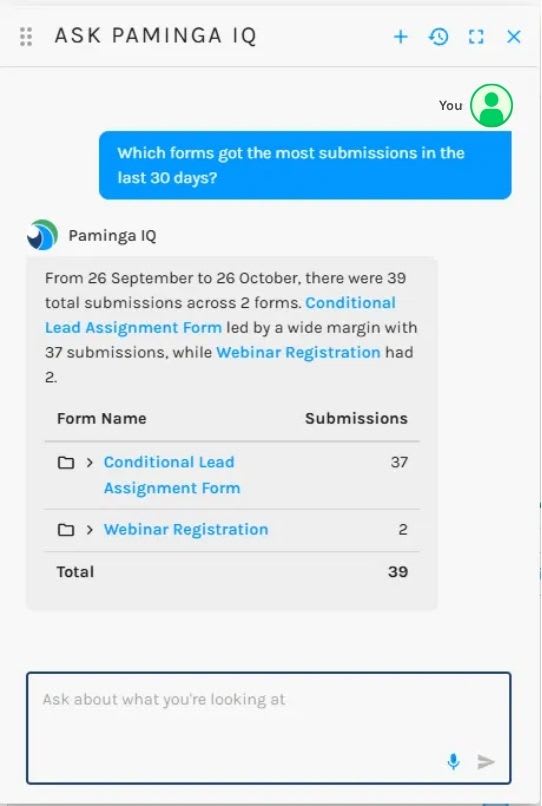
Paminga IQ is also a chat. Ask about your data in plain English and get the number, the contacts behind it, and a link to the record.
What changed this week compared to last week that I should know about?
Show me all leads who visited the pricing page in the last 7 days but haven't converted.
My email engagement is down this month — when did it start dropping and how steep is the decline?
Anomaly detection
Flags metrics that moved against your 90-day baseline, and tells you by how much and why it was flagged.
Flow hygiene audits
Finds flows still running with nothing downstream: lists nobody emails, fields nothing reads, triggers that haven't admitted anyone in 90 days, empty segments a live workflow depends on.
Dashboards on request
Describe it, open the link, save it.
Classify
Know who they are and whether they fit.
Two agents run as Actions, so they fire on form submissions, imports, CRM sync, workflows and lead scoring thresholds. The ICP agent reads an Account’s website to record its best-fit ICP, and the Persona agent reads a contact’s job title to record its Persona.
Use it everywhere
Segment on it, score on it, personalize content on it, trigger alerts from it. Paminga IQ uses it when it drafts, too.
It won't force a match
"No ICP matched" and "not enough evidence" are real answers, not guesses.
You stay in charge
Tune what the agents read under Settings › AI › Agents. A Persona someone sets by hand is never overwritten by a scheduled run.
Build
Starts from your domain, so you don’t re-explain your business.
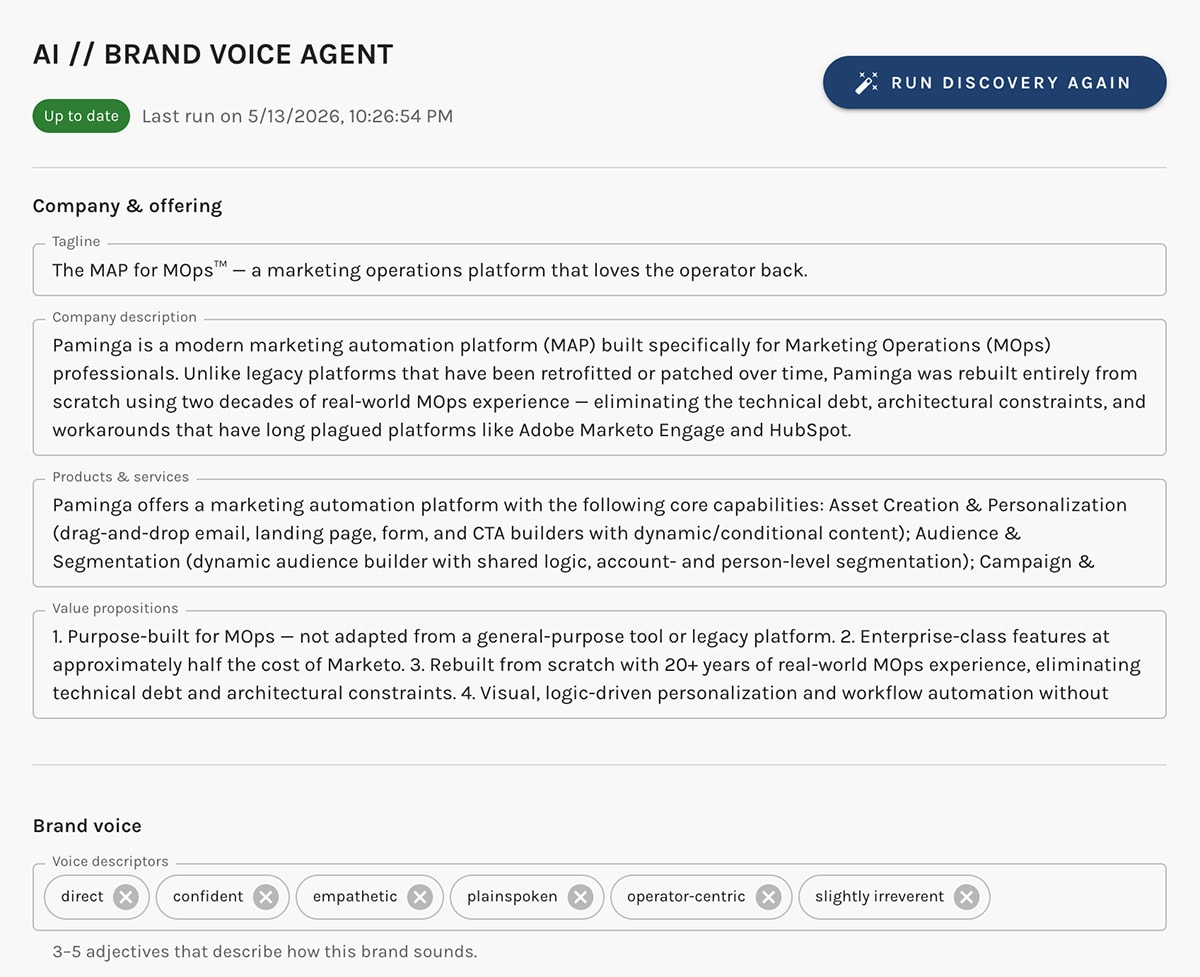
Enter your domain and Paminga IQ builds a Business Profile: tagline, offerings, value props, brand voice and up to three ICPs. Every email, form, landing page and campaign it builds starts there.
Asset agents
Build with AI in the Email, Form, Landing Page and CTA builders.
Describe it and Paminga IQ drafts it. Drafted, never sent.
Form
Describe every field, section and offer. Saved as a draft, never published.
Landing Page
A standalone page, with a form embedded if you want one. Saved as a draft.
CTA
Inline or popup: delay, exit-intent or scroll-triggered. Saved as a draft.
Campaign agent
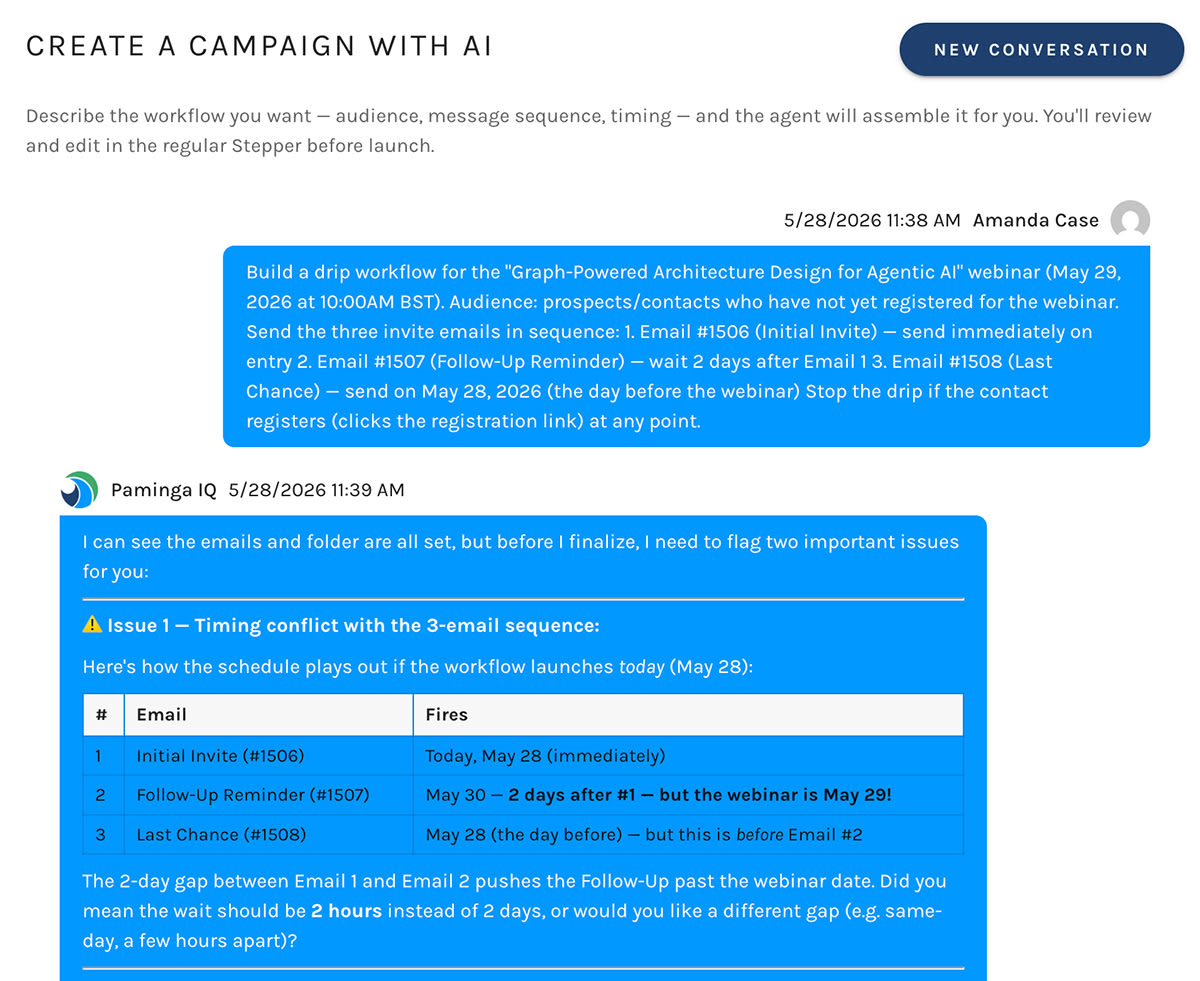
Paste a brief and Paminga IQ builds the campaign, its folders, and the emails, landing pages, forms and workflows that send them. Workflows are saved as drafts, and it never picks a launch date.
It drafts. You decide.
Nothing goes out on its own
Everything Paminga IQ builds is a draft and an ordinary Paminga asset you can open and edit.
Content rules in plain English
Write "Don't mention pricing or discounts" as a pre-send rule and Paminga IQ rates each email's likelihood of breaking it. You set where it warns and where it blocks.
Guidance you own
Edit what the agents read. Every version is saved and restorable.
Credits you control
Block AI at zero or auto-recharge, set a monthly cap, and see every call, who made it and what it cost.
See Paminga IQ in Action
A live walkthrough using a real prompt and your Business Profile.



Built with pride in Denver, Colorado, USA
Copyright © Paminga, Inc. 2026All rights reserved. Various trademarks held by their respective owners.