Actions
Paminga is capable of executing a number of "Actions" automatically.
Paminga's Actions can be triggered by events, like a form submission.
They also may be triggered when leads or contacts meet conditions of your choosing.
For example, you may want Paminga to sunset a contact whose email open rate is less than 5% in the last 3 months.
Consistency: The Same Actions Everywhere
Paminga's Actions may be triggered in multiple places throughout the platform. Their settings look exactly the same no matter where you use them.
This is to your great advantage: consistency makes Paminga easy to learn and use.
Actions May Be Triggered From:
- Action Sets: reusable actions that can be leveraged from multiple places in Paminga
- Form Builder: trigger actions when a form is submitted
- LinkedIn Lead Forms
- Calendly Event Forms
- CRM Sync Actions: trigger actions as leads or contacts are synced to Paminga from your integrated CRM
- CSV Imports: trigger actions as contact records are imported from your .csv file
- Apollo Imports: trigger actions as contacts are imported from an Apollo list
- Drip Series & Workflow Goals: trigger actions when a goal is achieved
- Workflow Branches: trigger actions as leads/contacts progress through workflows
- Lead Scoring Thresholds: trigger actions when a prospect's lead score crosses a threshold
- Lead Stage Change Actions: trigger actions when a lead's stage changes
- Opportunity Stage Change Actions: trigger actions when an opportunity's stage changes
- Workato Recipes
- Zapier Zaps
Finding the Action You Need
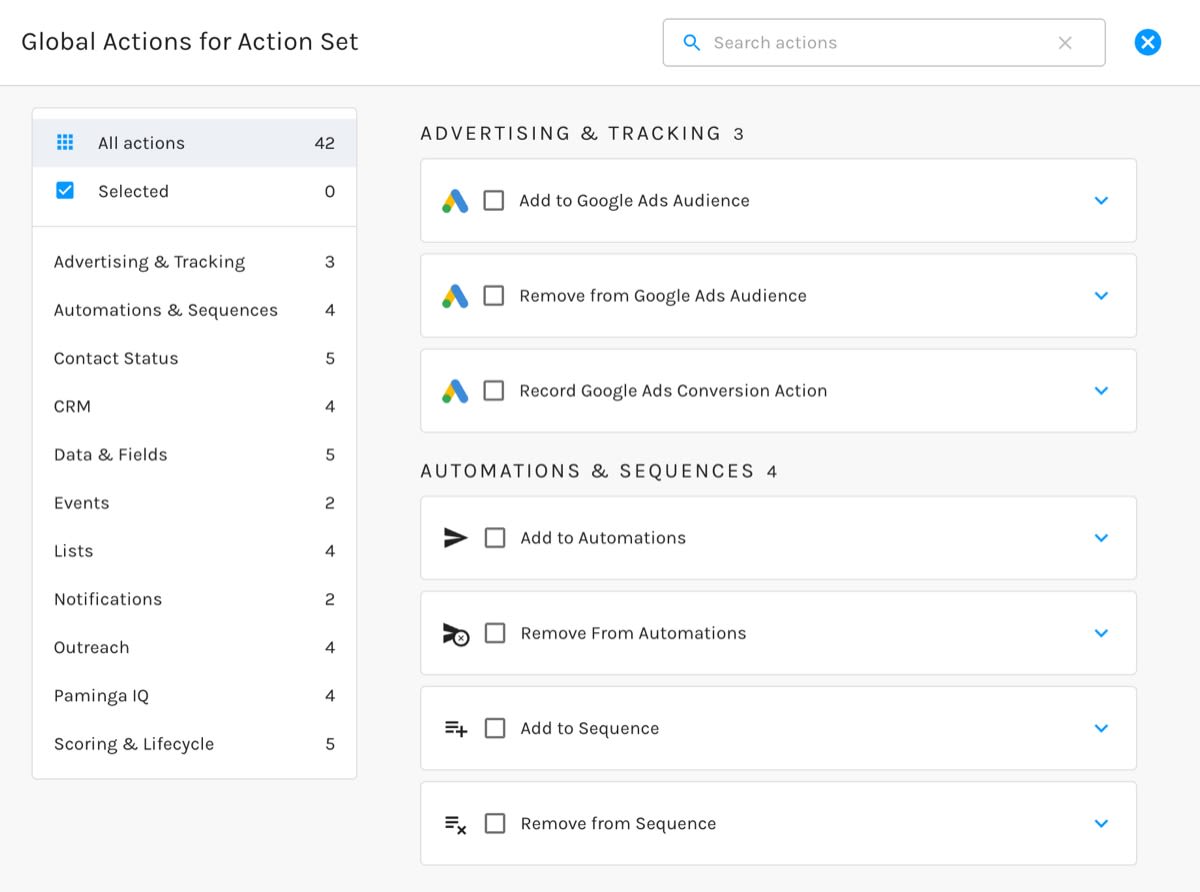
Paminga offers a lot of Actions, so the screen where you choose them is built to get you to the right one quickly. It works the same way everywhere Actions appear.
Choosing Actions:
Search
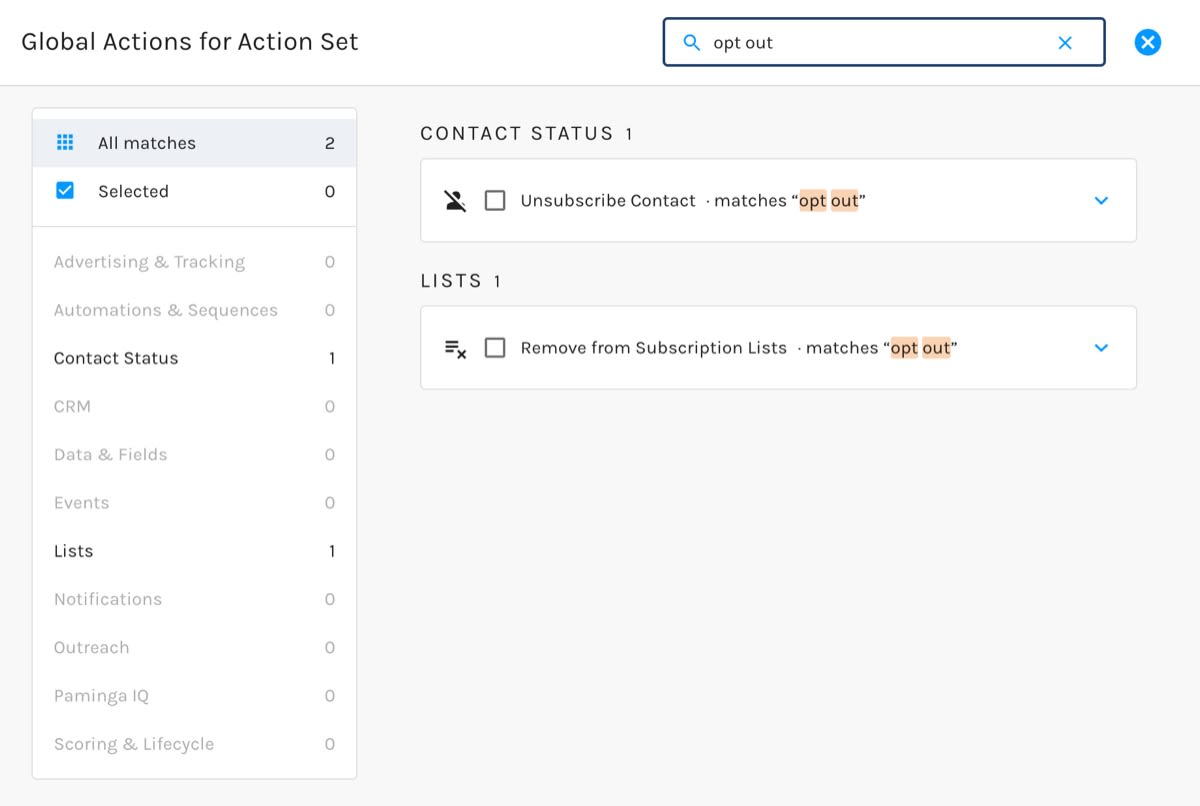
Start typing in the search field at the top of the screen. The list narrows as you type, and the matching text is highlighted.
Search understands the words you're likely to use, not only the Action's exact name. Type "workflow" and you'll find Add to Automations. Type "opt out" and you'll find Unsubscribe Contact and Remove From Subscription Lists. When a match comes from one of those related terms, the Action tells you which term matched.
Searching for “opt out”:
Press / to jump to the search field from anywhere on the screen. Press Esc to clear your search, and press it again to close the screen.
Categories
Actions are grouped into categories, like Automations & Sequences, Contact Status, CRM, Lists, Outreach, and Paminga IQ. The category list on the left shows how many Actions each one holds. Click a category to jump straight to it.
While you search, each category shows how many of its Actions match, and categories with no matches fade out.
Selected
Choose Selected to see only the Actions you've turned on. When you open the Actions of something you've already configured, this is the view you start in, so you see exactly what it does before you change anything.
Frequently Used
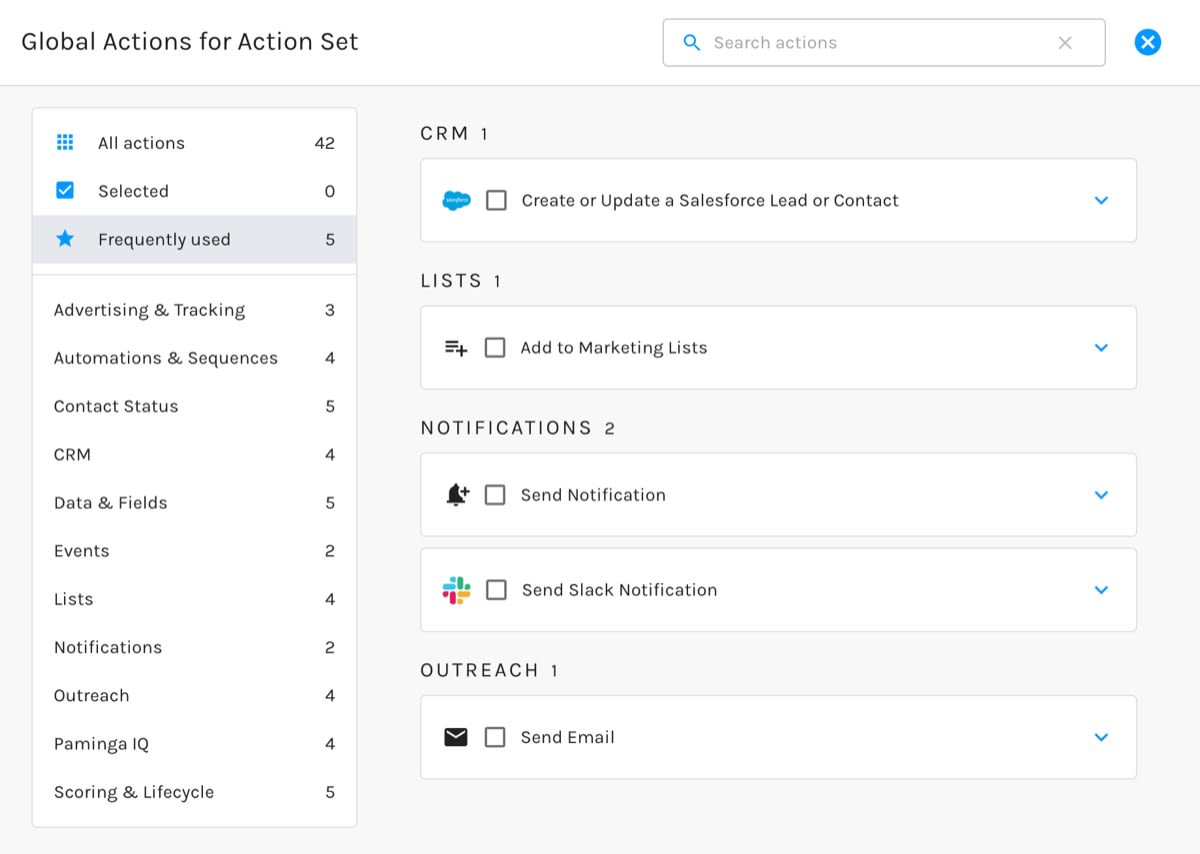
Frequently Used shows the five Actions your team uses most, based on the Actions you've saved across Paminga. It appears once you've saved a few Actions, and it reflects your own instance, not Paminga customers in general.
Frequently Used:
Fixing Problems Before You Save
If an Action you've turned on is missing a required setting, Paminga won't let you save it. A red dot marks the Action's category and the Selected view, so you can see where the problem is at a glance. Click the "requires attention" message at the bottom of the screen and Paminga takes you straight to the first Action that needs a fix.
Available Actions
- Add to Automations (Drip Series, Workflows, etc.)
- Add to Marketing Lists
- Add to Subscription Lists
- Add to Google Ads Audience
- Adjust Lead Scores
- Assign Promotion Code
- Create Dynamics D365 Lead Or Contact
- Create Dynamics D365 Opportunity
- Create IFS CRM Case
- Create IFS CRM Contact
- Create IFS CRM Lead
- Create IFS CRM Tasks
- Create or Update Custom Object
- Create Salesforce Campaign Members
- Create Salesforce Lead or Contact
- Create Salesforce Opportunity
- Create Salesforce Tasks
- Create SugarCRM Lead or Contact
- Create Sugar Tasks
- Create Tasks
- Enrich with Apollo
- Event Check-In
- Event Registration
- Google Tag Manager Data Layer Push
- Paminga IQ: ICP Classification Agent
- Remove From Automations
- Remove From Marketing Lists
- Remove From Subscription Lists
- Reset Account Scores
- Reset Lead Scores
- Resubscribe Contact
- Send Autoresponder Email
- Send Email
- Send Slack Notification
- Send Webhook
- Set Field Values
- Set Lead Stage
- Sunset Contact
- Unbounce Contact
- Unsubscribe Contact
- Un-Sunset Contact
- Zapier Trigger


