Create or Update Marketing Campaign Members
Campaign Members from Salesforce are called "Marketing Campaign Members" in Paminga.
This action enables you to create or update Campaign Members in Paminga (and Salesforce if connected), setting Campaign Member Status, plus the values of selected Campaign Member Custom Fields in the process.
Bi-directional sync of Campaign Members is currently only available for Salesforce.
We plan to add this capability to other CRM integrations.
Create or Update Marketing Campaign Members
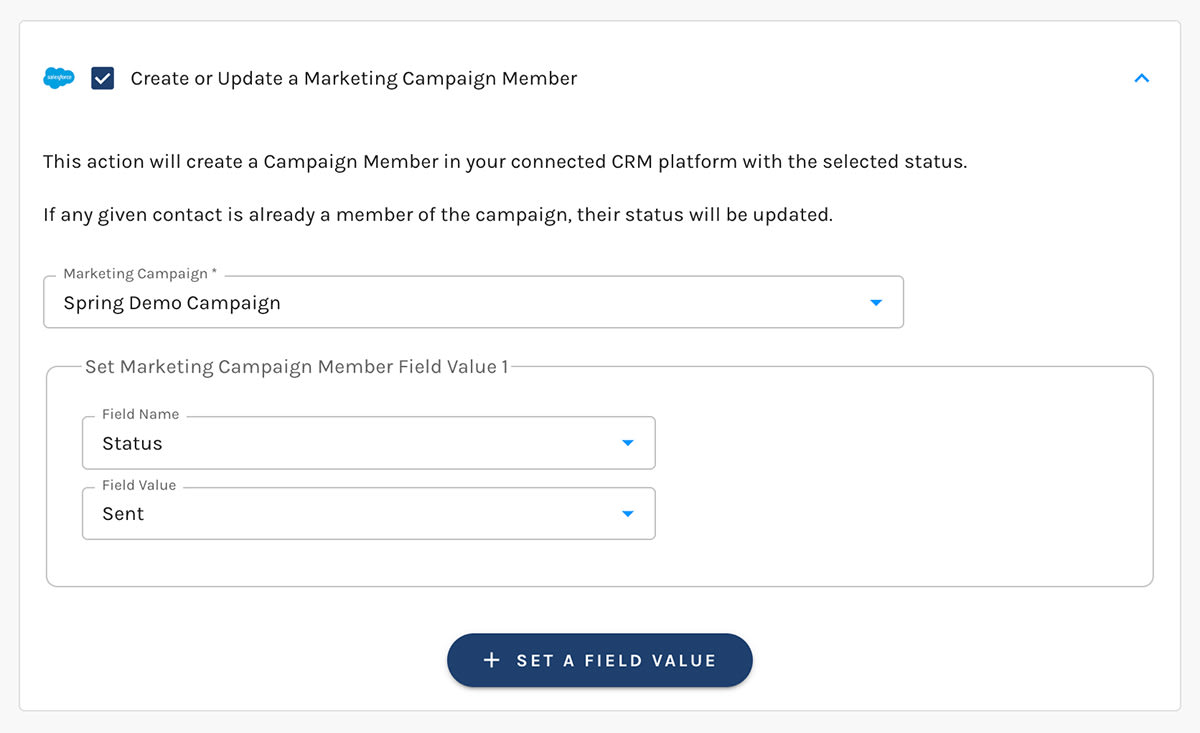
Set Campaign Member Field Values
Standard Fields
Status is the only standard campaign member field that can be set in Salesforce.
Campaign Member Status options can vary on a per-campaign basis in Salesforce.
Paminga syncs these statuses from Salesforce regularly so your status options are always up to date in Paminga.
Custom Fields
Paminga discovers campaign member custom fields automatically and exposes them for Field Mapping.
Campaign member custom fields must be mapped in order for them to appear as options when selecting fields to set in Salesforce.


