Create or Update Marketing Campaign Members
Campaign Members from your CRM are called "Marketing Campaign Members" in Paminga.
This action enables you to create or update Campaign Members in Paminga (and Salesforce if connected), setting Campaign Member Status, plus the values of selected Campaign Member Custom Fields in the process.
Salesforce isn't the only CRM that takes campaign members. Each connected CRM gets its own version of this action, which appears in your action list only when that CRM is connected. With Salesforce, Spiro, and IFS, membership also syncs back to Paminga as part of your CRM sync.
- Salesforce: "Create or Update a Salesforce Campaign Member" sets membership, Campaign Member Status, and mapped Campaign Member custom fields in Salesforce. This page covers it.
- Dynamics 365: "Create or Update a D365 Marketing Campaign Member" adds the contact to the Dynamics 365 Marketing List linked to the Marketing Campaign. If no list exists yet, one is created and linked for you. There is no status or field picker, and this action sends membership one way, from Paminga to Dynamics 365. See the Dynamics 365 integration.
- Spiro: "Create or Update a Spiro Campaign Member" adds the contact to the campaign's linked Spiro List. Spiro Lists have no member status or member fields of their own, so any field values you set stay in Paminga. See Spiro Campaign Members.
- IFS: "Create or Update an IFS Campaign Member" adds the contact to the IFS Campaign, and optionally to one of that campaign's Actions. Field values you set stay in Paminga. See the IFS integration.
For Spiro and IFS, the contact must already exist in the CRM as a Contact. The action doesn't create one, so pair it with your contact sync action.
Create or Update Marketing Campaign Members
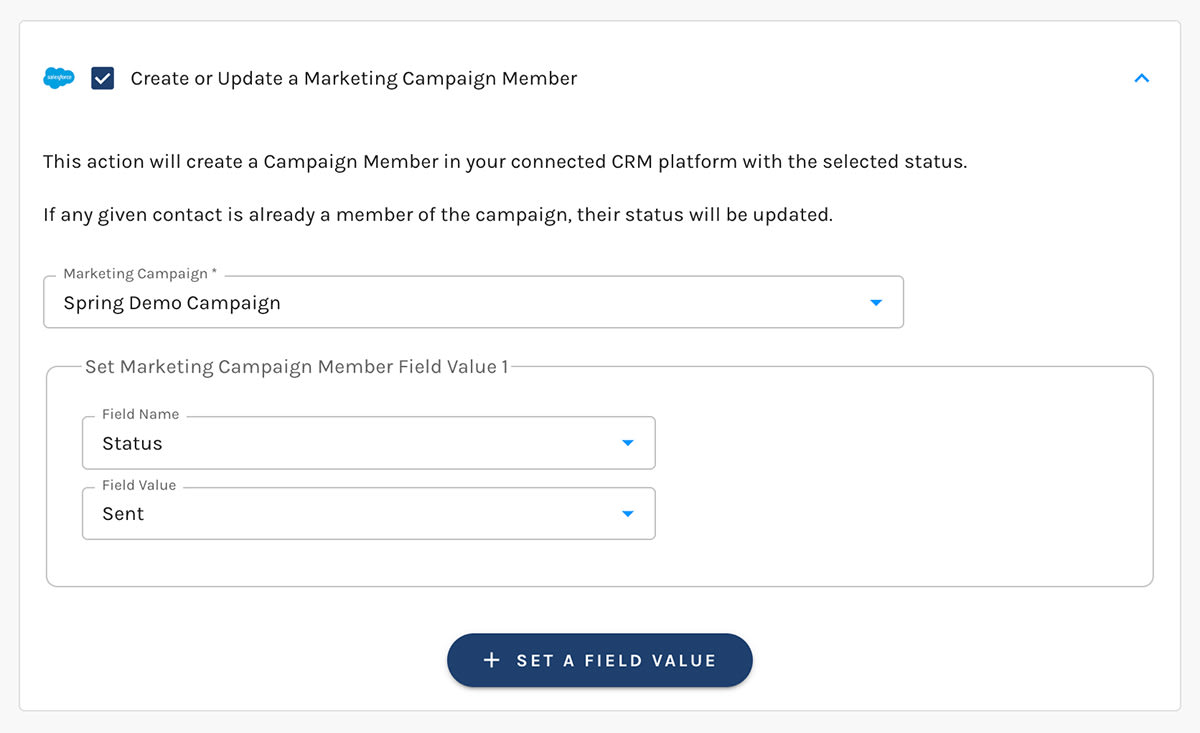
Set Campaign Member Field Values
Standard Fields
Status is the only standard campaign member field that can be set in Salesforce.
Campaign Member Status options can vary on a per-campaign basis in Salesforce.
Paminga syncs these statuses from Salesforce regularly so your status options are always up to date in Paminga.
Custom Fields
Paminga discovers campaign member custom fields automatically and exposes them for Field Mapping.
Campaign member custom fields must be mapped in order for them to appear as options when selecting fields to set in Salesforce.


