Reset Lead Scores
The Reset Lead Scores Action sets the lead score categories you choose back to 0 for each contact the Action runs for. Use it to give contacts a fresh start at the moments that call for one: an opportunity closes, a customer renews, or a contact re-enters your funnel through a new form.
It's the automated version of the reset you can run by hand. See Reset Lead Scores for everything a reset does.
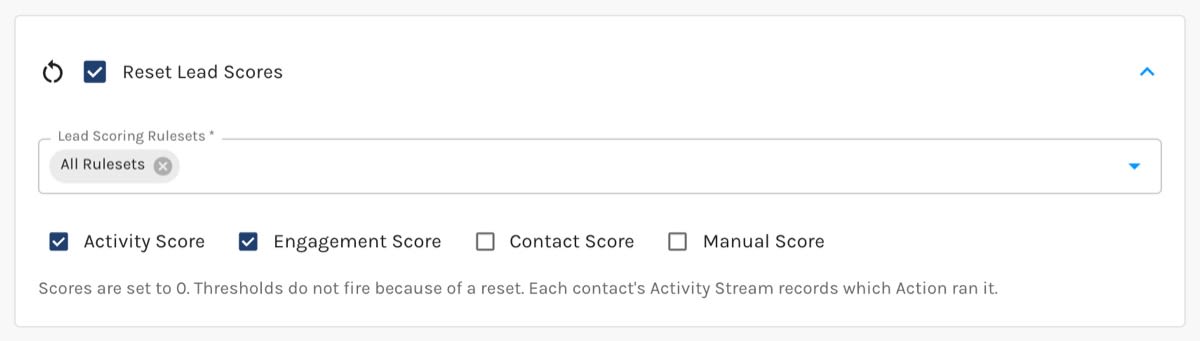
Reset Lead Scores Action:
Settings
- Lead Scoring Rulesets. All Rulesets is selected by default, and it means every ruleset you have when the Action runs, including rulesets you create later. Pick specific rulesets instead to limit the reset to them. Choosing a specific ruleset removes All Rulesets, and choosing All Rulesets removes the specific ones.
- Scores to reset. Activity Score, Engagement Score, Contact Score, and Manual Score. Choose at least one.
What Happens When It Runs
- The chosen scores are set to 0 in each ruleset the contact is scored in.
- Thresholds don't fire because of the reset.
- The contact's Activity Stream gets a Reset Lead Score entry naming the Action and where it ran from.
- Paused contacts are reset too, and they stay paused.
Where It's Available
Reset Lead Scores works wherever Actions run, including Action Sets, forms, CRM sync actions, and workflows. It isn't offered for CSV imports or Apollo imports.


