My Team
My Team is in beta. It may not be turned on for your account yet. To request access, contact Paminga Support.
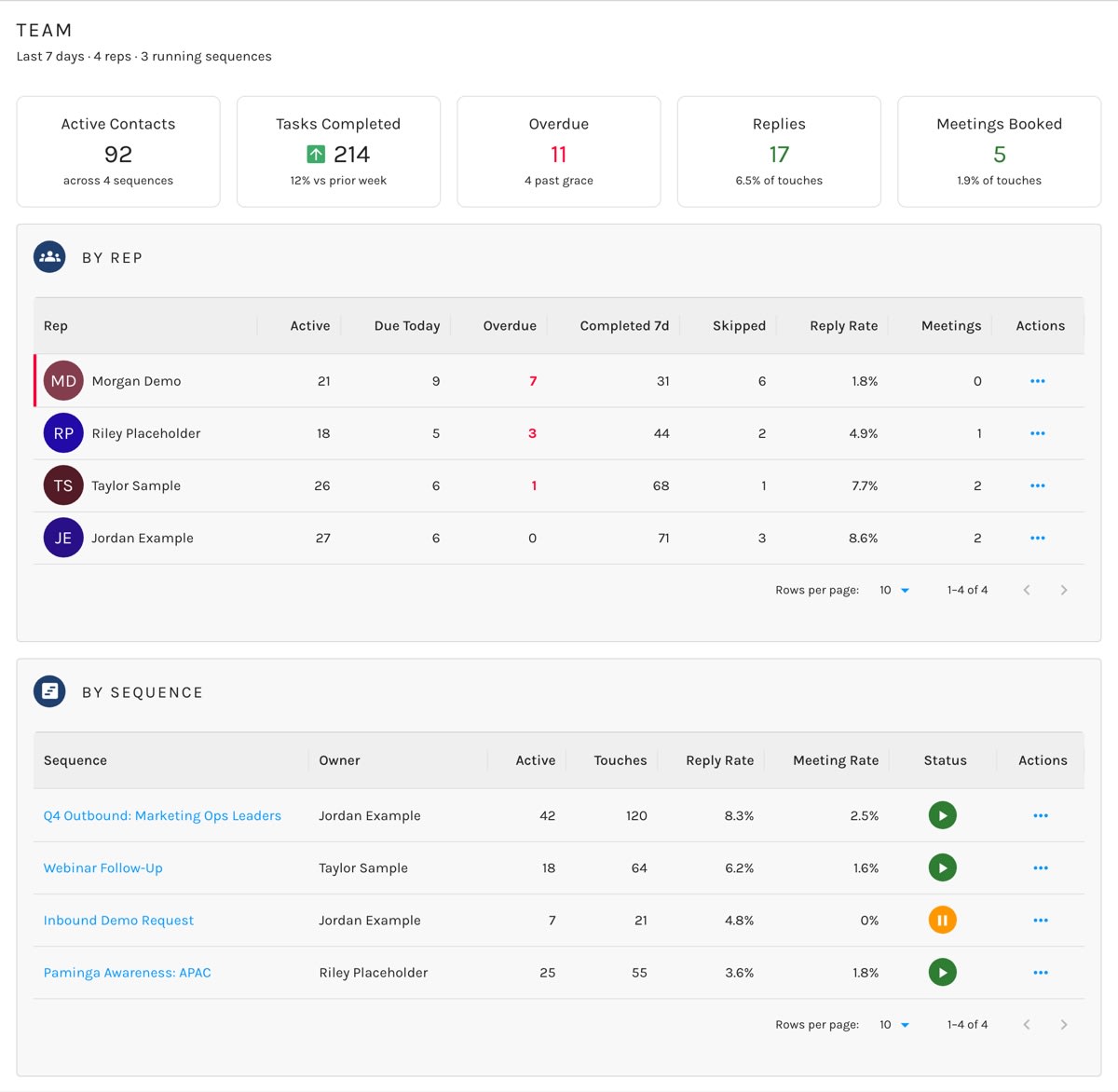
A sales manager asks two questions about outbound: who is behind, and which sequence is working. They're different questions answered from the same data, so My Team answers both, side by side, over the last 7 days.
Activity sits beside outcomes on purpose. A rep can be busy and ineffective, and the gap between steps completed and replies earned is what a manager is actually looking for.
Go to Sales › My Team.
My Team:
The Tiles
| Tile | What it shows |
|---|---|
| Active Contacts | Contacts currently in a sequence, and how many sequences they're spread across. |
| Tasks Completed | Steps completed in the last 7 days, with the change against the week before. |
| Overdue | Steps past their due day, and how many of those are past the sequence's escalation grace. |
| Replies | Replies in the last 7 days, as a share of touches. Click it to see who replied. |
| Meetings Booked | Meetings booked in the last 7 days, as a share of touches. |
Overdue is always current. It's the leading indicator, so it isn't limited to the 7-day window.
By Rep
One row per rep: active contacts, steps due today, overdue, completed in the last 7 days, skipped, reply rate, and meetings booked. Rows come back worst-first, so the rep who needs attention is at the top — and if they have overdue work, their row is marked in red.
From a rep's actions, View replies lists who replied to that rep. On your own row, View your queue takes you to My Queue.
By Sequence
One row per sequence: its owner, active contacts, touches, reply rate, meeting rate, and status. View replies lists who replied to that sequence.
Needs Attention
When steps sit open longer than their sequence's Escalation grace allows, a Needs attention panel appears with the count. Those steps keep holding their contacts until someone works them — a sequence never skips a step on its own. Set the grace period on each sequence's Settings tab; see Pacing.
Who Sees What
Users with the manage level of the Sequences permission see every rep and every sequence. Everyone else sees only their own work, so the same screen serves a rep checking their own numbers and a manager checking the team.


