Personally Authored Emails
Personally Authored emails is in beta. It may not be turned on for your account yet. To request access, contact Paminga Support.
A cold email that looks like a newsletter gets treated like one. A Personally Authored email is the opposite of a designed marketing email: no layout, no Brand Kit, no header image — just text, the way a person writes in Gmail.
They exist for the Manual Email step in a Sequence. A rep sends that step from their own mailbox, under their own name, so the email has to read like something they typed. Manual Email steps only accept Personally Authored emails for exactly that reason.
Create a Personally Authored Email
- Go to Marketing Center › Emails and create a new email.
- Enter the Email Name and Email Subject.
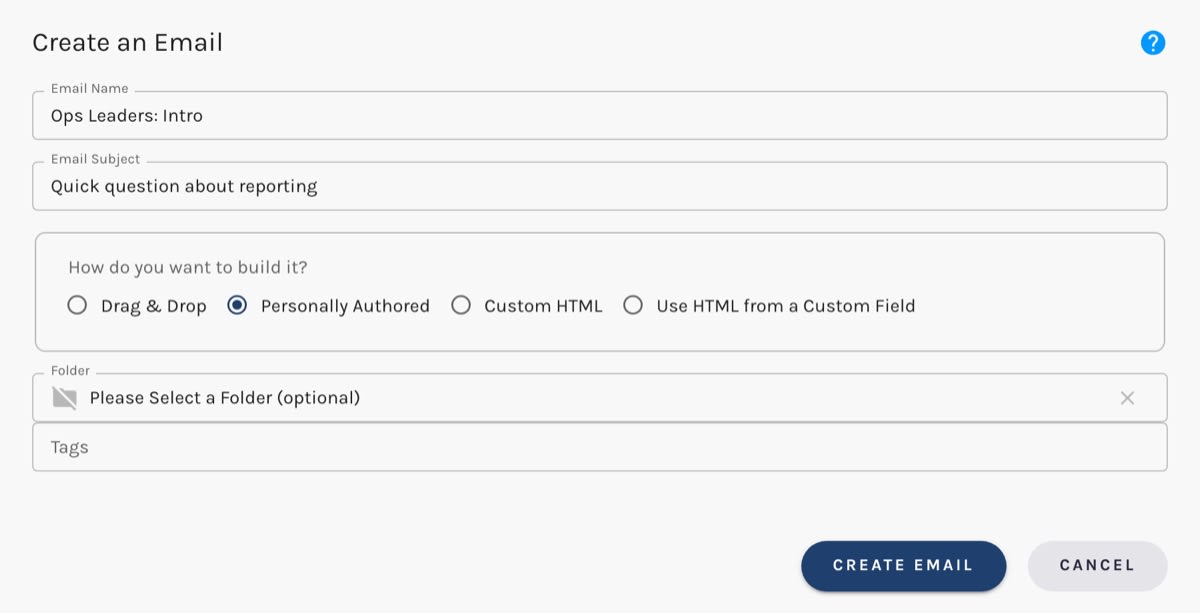
- Under How do you want to build it?, choose Personally Authored.
- Click Create Email, write your message, and publish it.
Choose Personally Authored:
A Sequence step can only use a published email. Until it's published, it won't appear in a step's email picker, and Paminga won't start a sequence whose Manual Email step points at it.
The Composer
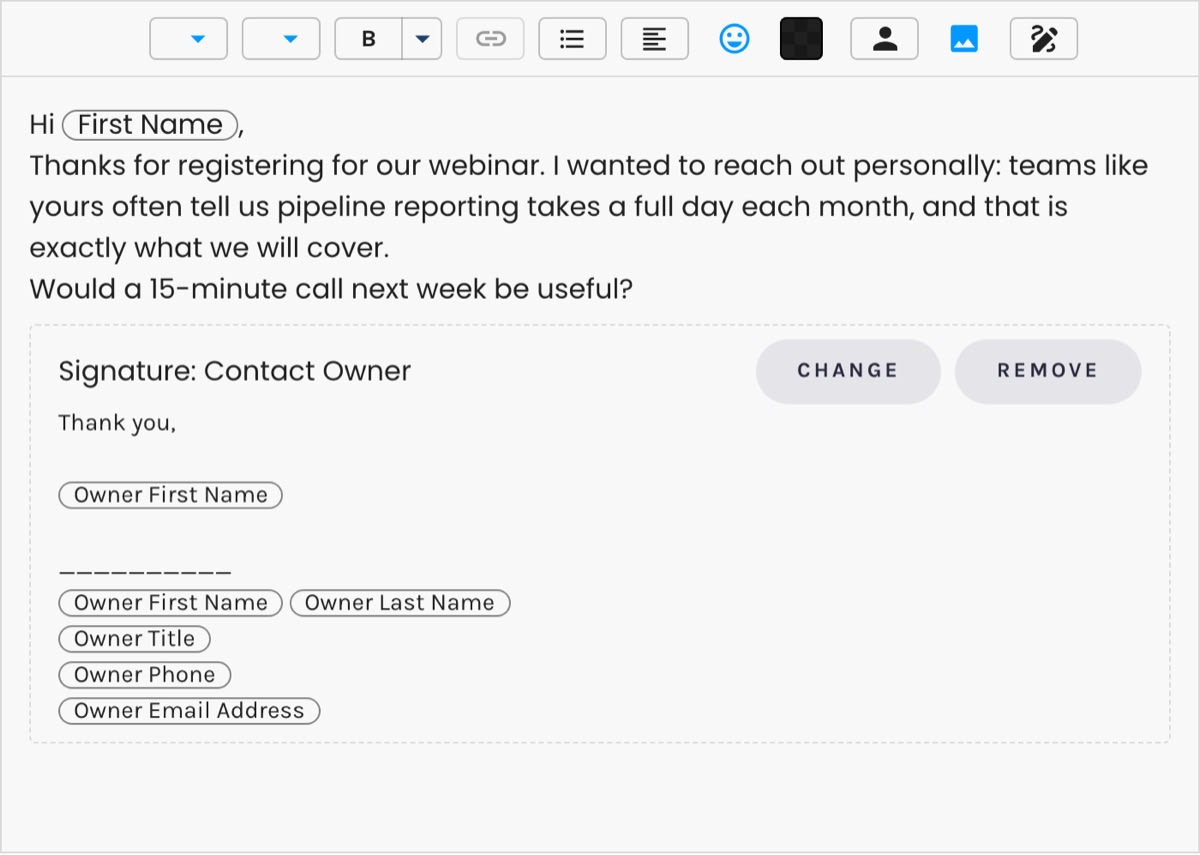
The Personally Authored composer is a single document with an always-on toolbar, like Gmail's. Unlike Paminga's other text editors, it lets you place images in the message itself, and personalization tokens work as they do everywhere else. It deliberately has no free font-size or spacing controls, so nothing you write renders differently in the prospect's inbox than it does on your screen.
The Personally Authored Composer:
Text carries no default color. The recipient's email client sets it, just as it does for an email a person types — light mode or dark.
Signatures
Insert a signature from the composer's toolbar. An email stores a reference to the signature rather than a copy of it, so when someone updates a signature, every email that uses it picks up the change.
Signatures are managed centrally under Settings › Account › Email Signatures, which requires the Email Signatures permission. Each account starts with a Contact Owner signature built from the contact owner tokens.
What Reps Can Change
When a Manual Email step falls due, the rep sees your email in Focus Mode, with its tokens filled in for that contact, in the same composer you wrote it in. They can edit the subject and body before sending — adding a line about the prospect's company, say — but they can't swap the signature.
That's the balance: the author decides what the email says and how it's signed, and the rep makes it personal.
Replies and Threads
When a later Manual Email step is set to reply on the previous email's thread, it goes out as Re: that conversation's subject, inside the same conversation. Its own subject is set aside; its body is used. See Email Threads.


