Account Settings
Access your Account Settings in Paminga
- Hover your avatar (or your initials) found in the upper right corner of the Paminga platform. A dropdown menu appears
- Click "Account Settings"
- That menu also contains shortcuts for Billing, and Paminga's settings for any CRM platform you may have integrated
Alternatively, when viewing your Personal Settings, you may easily toggle to view your Account Settings.
Find Any Setting
Account Settings opens on a home page that lists every setting you can access, grouped by what it controls: Account & Setup, Users & Security, Email & Sending, Automation, Data & Fields, Brand & Paminga IQ, and Integrations. Each setting carries a one-line description, so you can tell what it does before you open it.
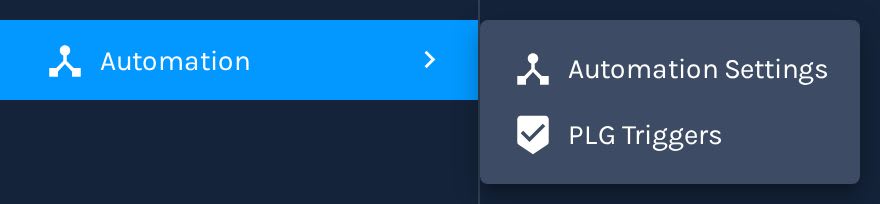
The left nav uses the same groups, one row each. Hover over or click a group to see its settings in a menu beside it. The group that holds the page you are on is highlighted, so you always know where you are.
A Settings Group in the Left Nav:
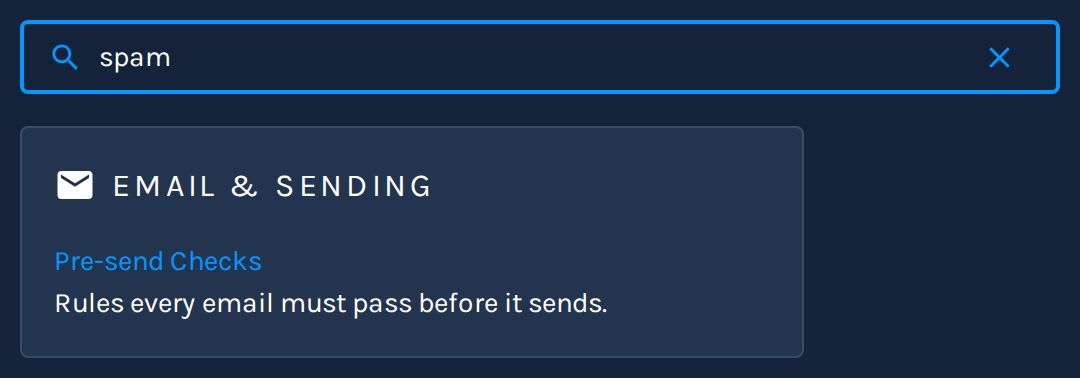
Don't know where a setting lives? Type in Find a setting, at the top of the home page or the left nav. It matches setting names and what each page contains, so "spam" finds Pre-send Checks and "soft bounce" finds Automation Settings. Press Enter to open the first match.
Find a Setting:
Your ability to access account settings may depend on the permissions setup by your organization.
Available Settings
Some of the items that may be managed in Account Settings include:
- Manage Paminga Users
- Connect Social Media Accounts to Paminga
- Create and manage custom fields
- Manage password & security policies for your organization
- Manage billing for your organization
- Create and manage PLG Triggers
- Upload Custom Fonts to use your own brand typefaces across the builders
- Manage the Email Signatures your emails sign off with
- Catch problems before an email goes out with Pre-send Checks, your own Policies, and inbox Rendering Previews
- Define Buying Group Member Roles
- Define the Opportunity stages, types, Contact Roles, and Lost Reasons in Pipeline Settings
- Arrange the fields on Contact, Account, Lead, and Opportunity records with Record Layouts
- Manage the Tags your team puts on Forms, Landing Pages, Emails, CTAs, Workflows, and more
- Map fields and users between your organization's instances for Cross-Instance Cloning (beta)
- Move from Marketo to Paminga with Migration Center (beta)