Login Security Policy
Your ability to access account settings may depend on the permissions setup by your organization.
Username / Password Settings
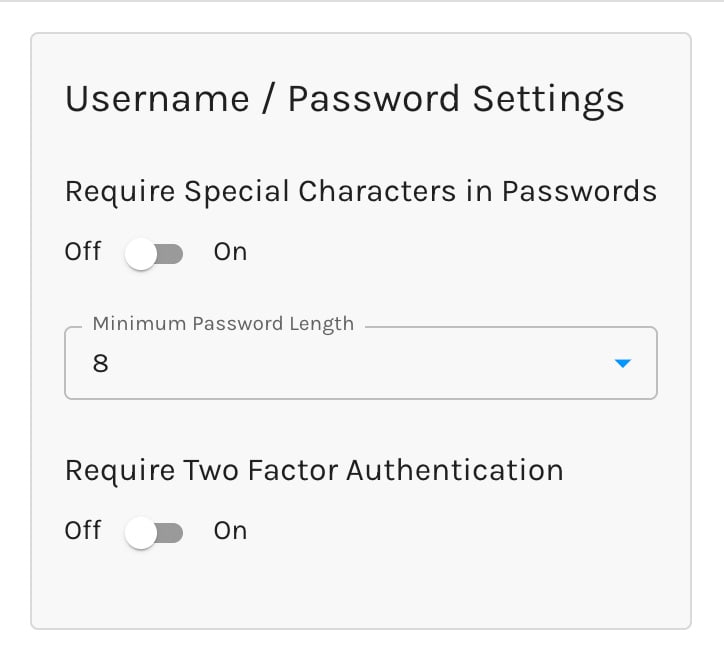
By default, all passwords must contain
- at least 1 lowercase letter
- at least 1 uppercase letter
- at least 1 number
Require Special Characters in Passwords
When enabled, your users' passwords must also contain at least 1 special character.
Accepted special characters include the following:
@, $, !, %, *, #, ?, &
Minimum Password Length
You may set the minimum password length to be between 6 and 16 characters.
Require Multi-Factor Authentication
When enabled, all users must sign in with a second factor, not a password alone.
Either factor satisfies the requirement:
- A code from an authenticator app — see two-factor authentication
- A passkey, such as Touch ID, Face ID, Windows Hello, or a hardware security key
A passkey proves two things at once: possession of the authenticator, and user verification — the Face ID, Touch ID, or PIN that unlocks it. That's why a user who signs in with a passkey isn't asked for a code as well.
Passkeys are the stronger option. An authenticator code can be phished — a convincing fake login page will happily collect one. A passkey is bound to your domain by the browser, so it simply won't work anywhere else.
Okta SSO
Paminga supports single sign-on with Okta, and can let Okta manage your Paminga users for you.
This page shows whether Okta is connected, how many email domains route to it, whether provisioning is on, and whether Okta sign-in is required. Configure takes you to the full settings under Settings > Account > Integrations > Okta SSO, where you'll find:
- Email Domains — the domains that route sign-in to your Okta organization. Users signing in from the Paminga login page are identified by their email domain, so at least one is required.
- Require Okta Single Sign-On — make Okta the only way into your account.
- User Provisioning (SCIM) — let Okta create, update and deactivate your Paminga users, and turn Okta groups into Paminga roles.
Okta SSO Setup
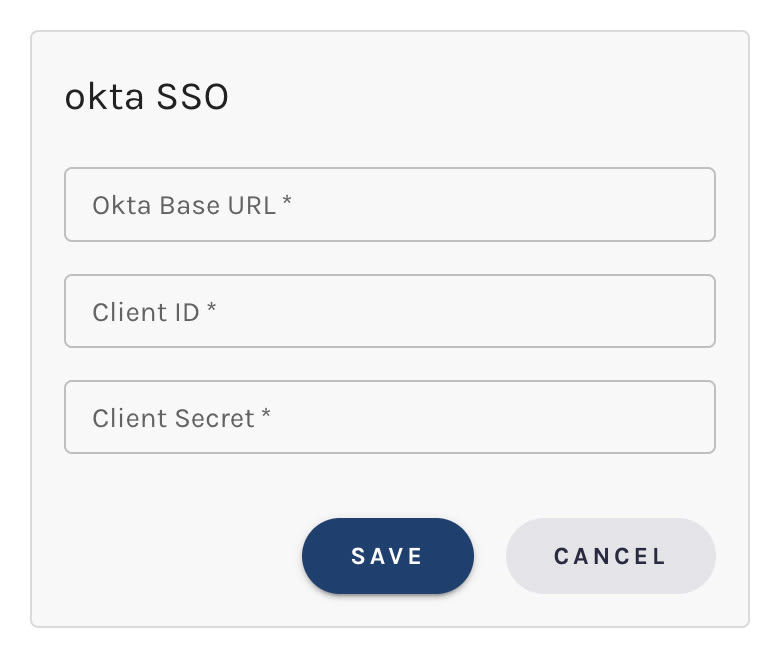
The Okta integration guide walks through the Okta side and each of these settings.
Google SSO
Paminga supports secure single sign-on with Google.
No setup is required. Click Sign In with Google on the sign-in page and follow the prompts. Your Google account's email address must match an existing Paminga user — see Google Single Sign-On for how matching works and what to check when sign-in fails.


