Permissions
Paminga supports enterprise-grade permissions.
Leveraging teams and role-based access control, organizations are able to manage permissions at scale.
Permission Categories
Paminga organizes permissions into several categories for easy management.
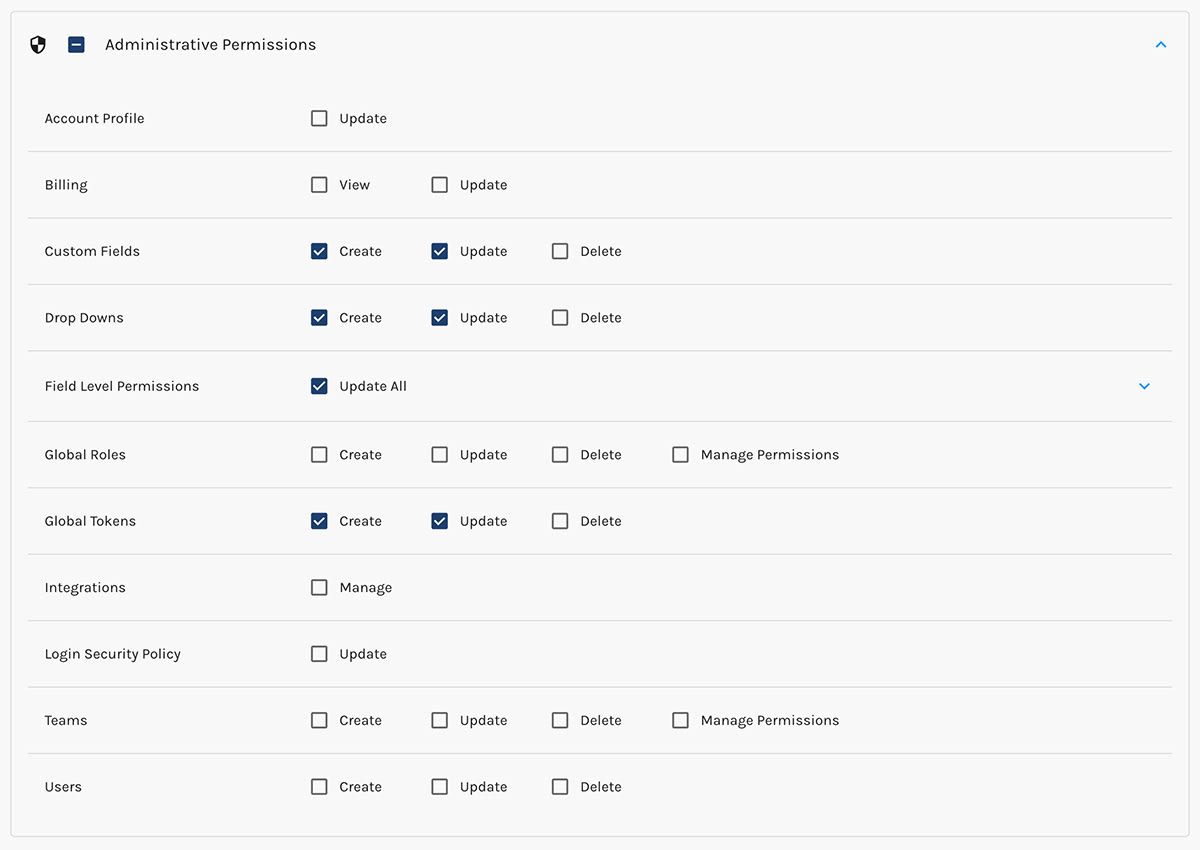
Administrative
Create any number of administrative roles and allow exactly the level of access desired.
Add basic administrative permissions – like creating custom fields – to non-administrative roles as needed.
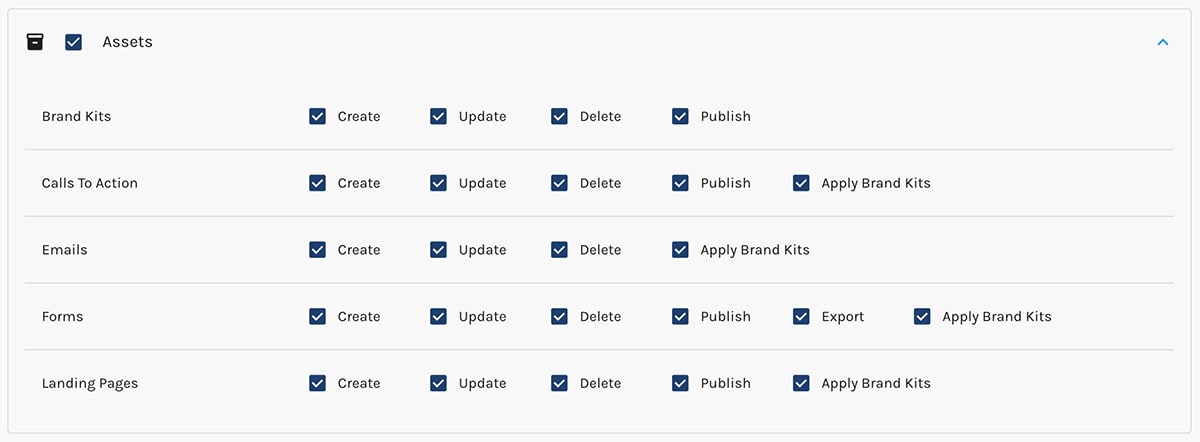
Assets
Admins have precise control over who can work with Emails, Forms, Landing Pages, CTAs, and Brand Kits.
Automations
Automations in Paminga are things like Drip Series and Branching Workflows.
Action Sets are preconfigured actions that you can re-use in multiple places across the platform.

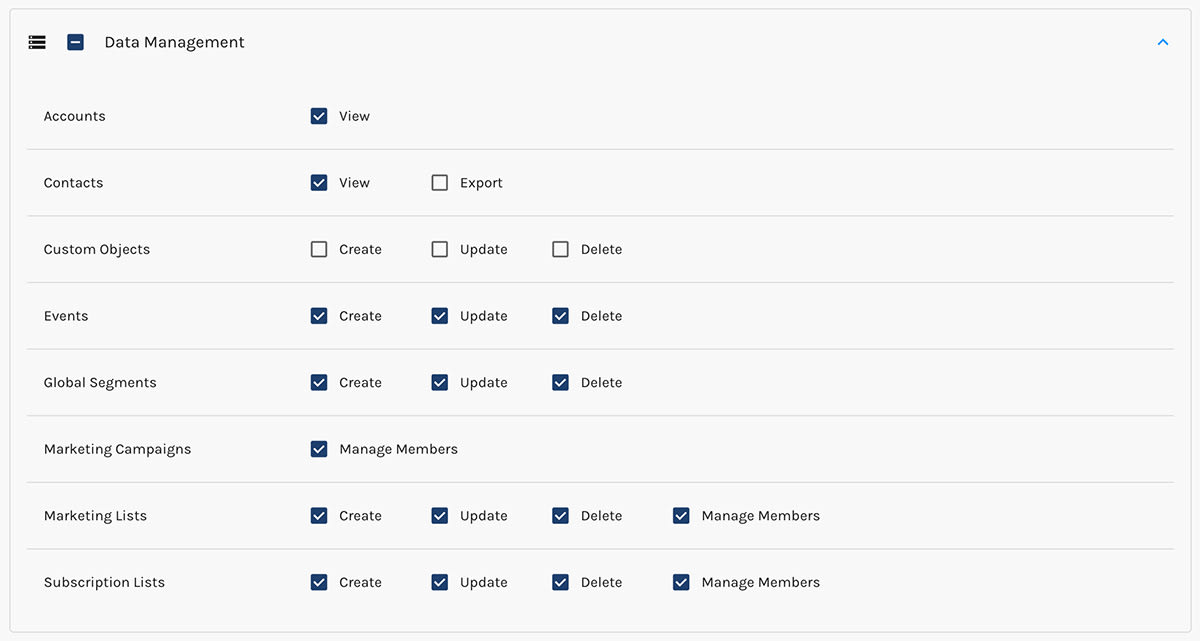
Data Management
Easily protect data from export, update, or even being viewed based on Team/Role.
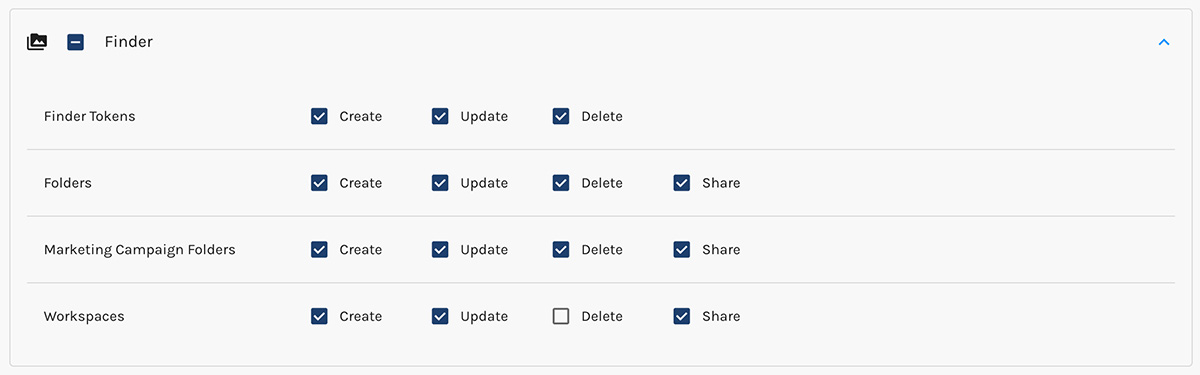
Finder
Paminga's Finder provides folder-based asset management for staying organized at scale.
Sharing Finder Folders
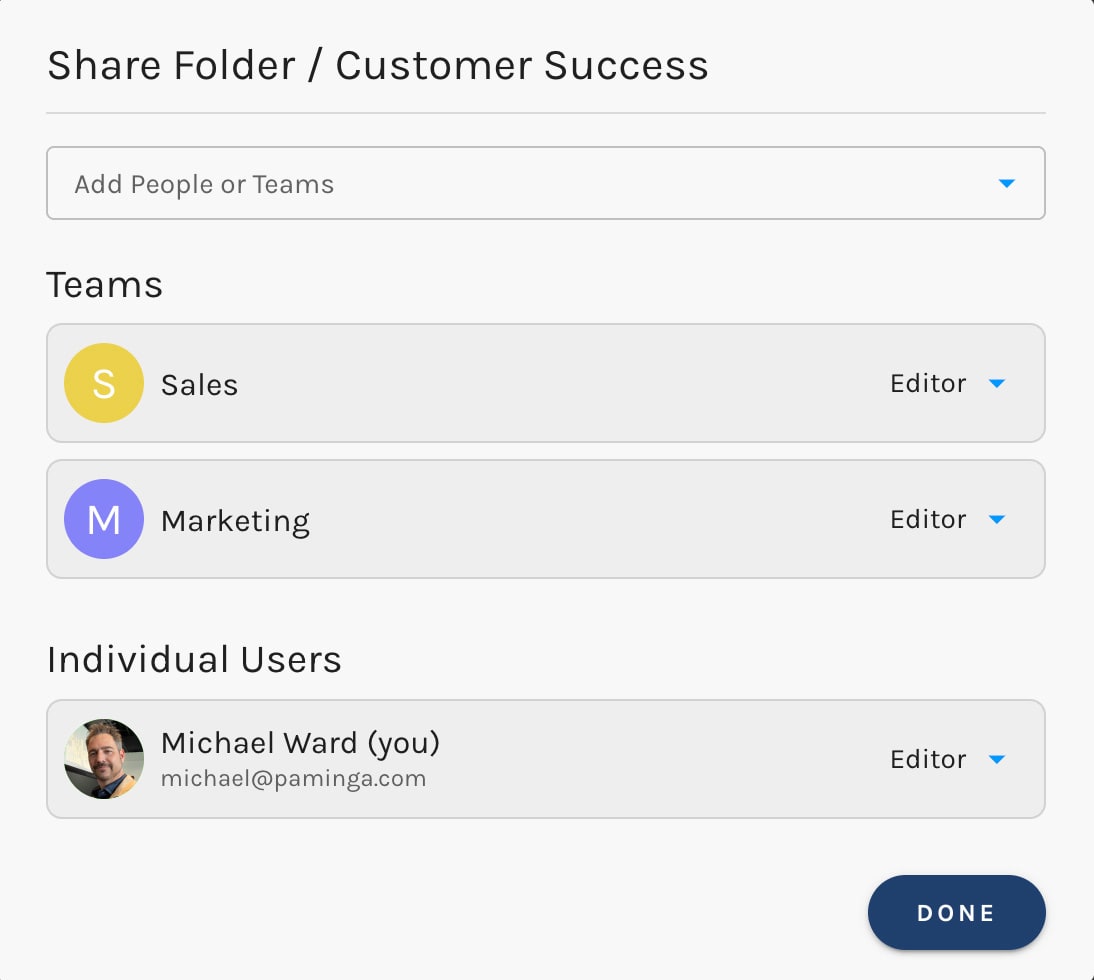
You can grant access to Finder folders to specific teams and/or users by right-clicking on the folder.
You may make any team or user an Editor or a Viewer.
Folder Sharing Settings
Teams
You can choose to leverage Teams as part of your permissions management strategy.
- You can create as many teams as are needed
- Each team can have as many users as are needed
- Each team can have as many roles as are needed
You can also choose not to use teams at all, simply using Global Roles for simplified permissions.
Default Team
Your Paminga instance is provisioned with a single team called "Marketing".
Your initial user will be a member of this team.
Roles
Permissions are assigned to roles. Users inherit permissions from the roles assigned to them.
Permissions are additive: a user will inherit all permissions assigned to their various roles.
You can create as many roles as are needed.
Roles come in two flavors: Team and Global.
Team Roles
Team roles are scoped to a given team.
A user could be a member of multiple teams, having different roles on those different teams. Such a user might have different levels of access in different Workspaces, for example, based on Team and Role assignments.
Default Team Roles
Your Paminga instance is provisioned with a several default Team Roles:
- Marketing Administrator
- Marketing Manager
- Content Creator
- Content Publisher
Global Roles
Global roles are platform-wide and not specific to any team.
Default Global Role
Your Paminga instance is provisioned with a single Global Role:
- Platform Administrators
Your initial user is assigned to this role and has full access to the platform.


