Data Enrichment
Enrichment fills in what your contacts and accounts are missing: titles, phone numbers, company size, addresses. That's only useful if you can trust it, so Paminga keeps a record of every change an enrichment integration makes, and holds back the ones that would overwrite data you already have until a person decides.
Three screens cover it:
- Enrichment Integrations: which enrichment providers are connected, and switching them on and off
- Enrichment Revisions: enriched values that conflict with yours, waiting for your decision
- Enrichment History: every enrichment that has been applied
Where to Find Them
The three screens appear in the left navigation of your Contacts and Accounts pages once your account has an enrichment integration, such as Apollo. Open Contacts, and you'll find Enrichment Integrations, Enrichment Revisions, and Enrichment History in the list on the left.
Until an enrichment integration exists, they don't appear. Connect Apollo from Settings > Account > Integrations to get started; Connect Paminga to Apollo walks through it.
Enrichment Integrations
A list of the enrichment integrations on your account, with the Platform, when it was created, and when it was last updated.
Enrichment Integrations:
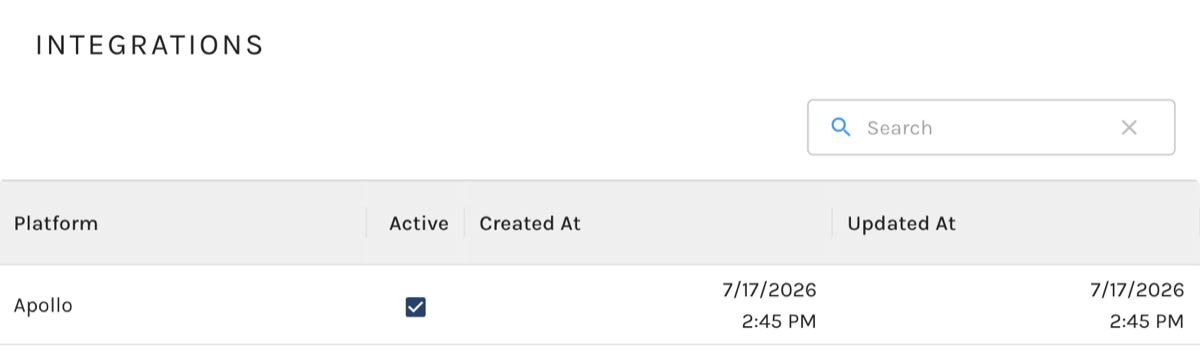
Turning an Integration Off and On
The Active checkbox switches an integration off without disconnecting it. Uncheck it and Paminga stops using that provider: for Apollo, that means the Enrich with Apollo Action, on-demand enrichment, and list imports all stop, and the Apollo card on the Integrations page treats Apollo as not connected. Your credentials and field mapping are kept, so checking Active again picks up exactly where you left off.
Use it to pause enrichment while you adjust your field mapping, or to stop spending enrichment credits for a while.
To remove an integration entirely, disconnect it from its card under Settings > Account > Integrations instead.
Apollo Field Mapping
Apollo's field mapping also lives under Data Enrichment. Open it from the Field mapping link on the Apollo card. Mapping Fields from Apollo to Paminga covers it.
Enrichment Revisions
Some enrichment providers send data to Paminga on their own schedule rather than when you ask for it. When one of them sends a value that conflicts with what a contact or account already holds (a different title, a different address), Paminga doesn't silently overwrite yours. It lands here for review.
Apollo enrichment never creates a revision. You ask for an Apollo enrichment explicitly, and the Action or enrich that runs it already says whether to replace existing values, so there's nothing left to decide. If Apollo is your only enrichment integration, this list stays empty.
Each row shows the Platform, the Object Type (Contact or Account), the record it changed, and when it arrived. View under Changes shows the record before and after.
Revise a Record
Click Revise to open the record side by side:
| Column | What it holds |
|---|---|
| Contact Before Revision / Account Before Revision | The value your record holds now |
| Found Contact Values / Found Account Values | The value the enrichment provider sent |
| Final Values | What will be saved |
For each field, click the value you want to keep, or type your own into Final Values. Fields where the two agree can't be switched, since there's nothing to choose. Click Save to update the record. The revision then moves to Enrichment History.
Contacts are revised field by field across name, title, work and mobile phone, and address. Accounts cover name, website, employee count, revenue, phone number, and both billing and shipping addresses.
Dismiss a Revision
To keep your record exactly as it is, delete the revision from the row's actions menu. Deleting doesn't remove anything from your data: the record stays untouched, and the revision moves to Enrichment History as resolved with no changes.
The same menu links straight to the contact's or account's detail page.
Enrichment History
The record of enrichments that have been applied, newest first: Apollo enrichments, imports from Apollo lists, and revisions you've resolved or dismissed. Each row shows the Platform, the Object Type, the record, and Enriched At, and View under Changes compares the record before and after.
History is the place to go when someone asks where a value came from. If a record changed and nobody on your team touched it, this is where you'll find out whether enrichment did.


