Audience
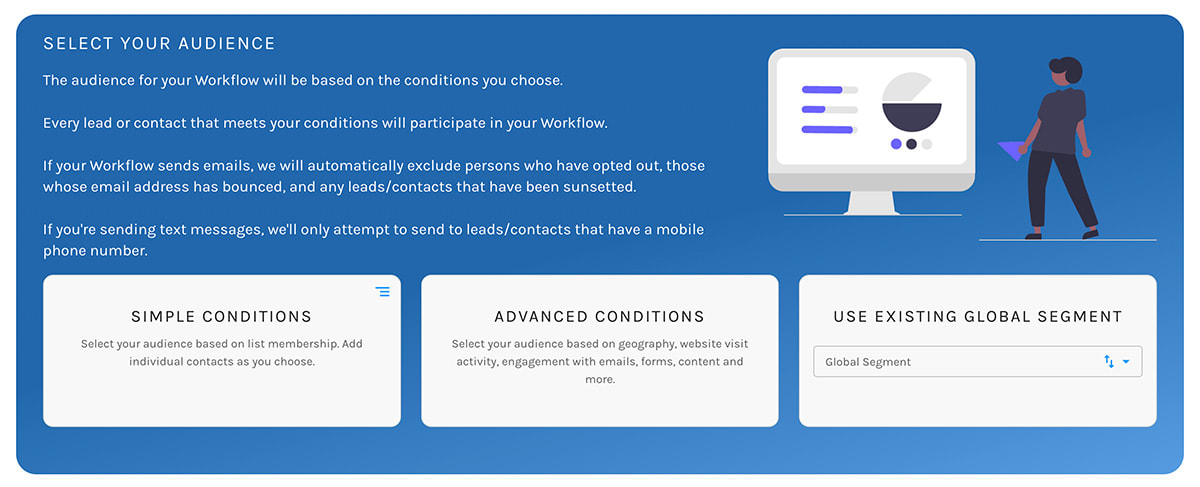
Paminga offers three ways to define your automation's audience:
- Simple Conditions – Include and exclude contacts based on list membership. Fast and easy
- Advanced Conditions – Select your audience based on geography, website visit activity, engagement with emails, forms, content and more. Import conditions from Global Segments
- Global Segments – Reuse conditions you've saved a Global Segment
Automation Audience Selection:
Simple Conditions
Simple Conditions cover the most basic use case: defining your audience based on list membership.
Automation Audience – Simple Conditions
Include & Exclude
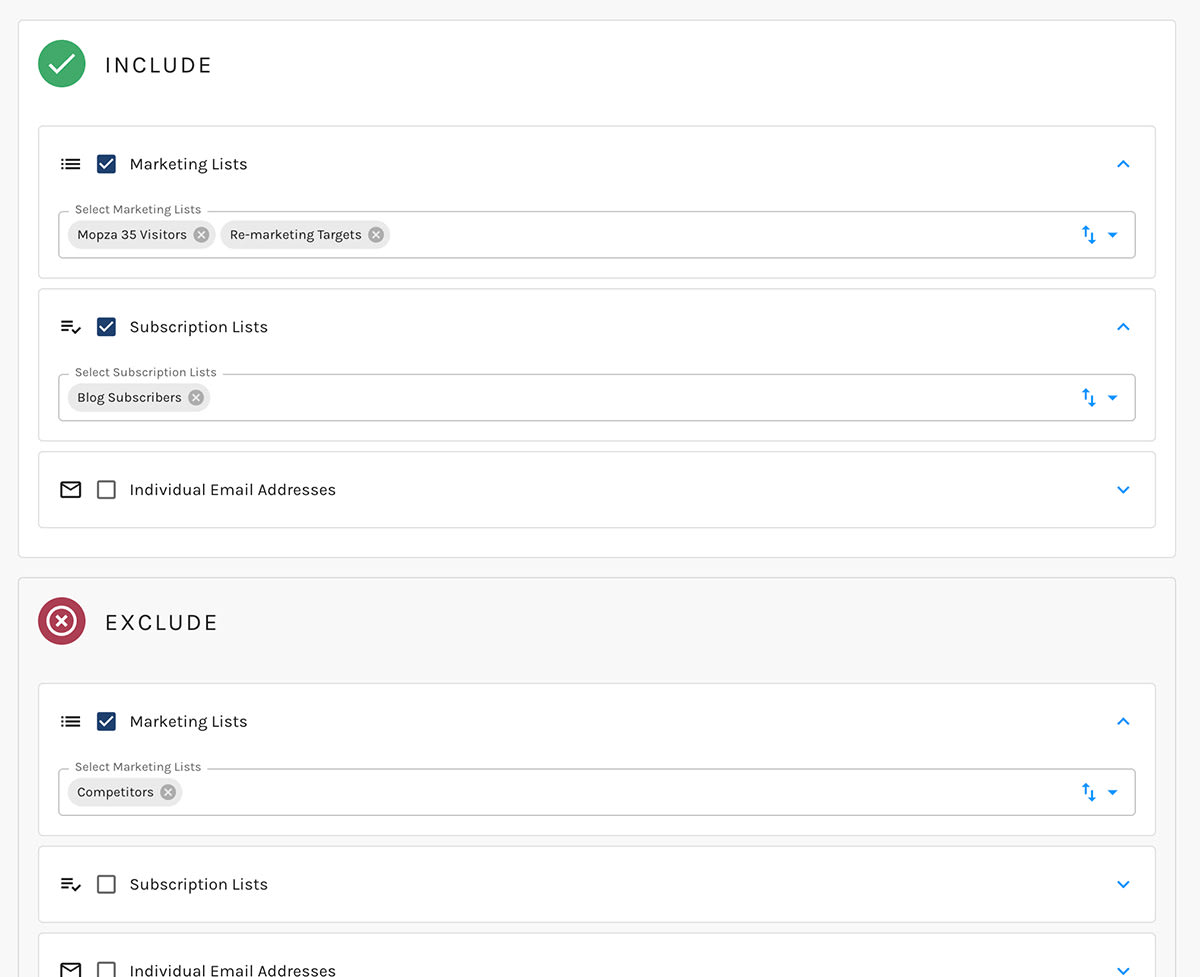
You may include and exclude members of any Marketing Lists and/or Subscription Lists.
You may also choose to include or exclude individual contacts by their email address.
info
- If a contact is a member of multiple included lists, that contact will not receive two emails (if your automation sends emails) – or be doubled up in your automation in any way
- If your automation sends marketing emails, those emails will not be sent to contacts who:
- Have unsubscribed globally
- Have an email address that is hard-bounced
Advanced Conditions
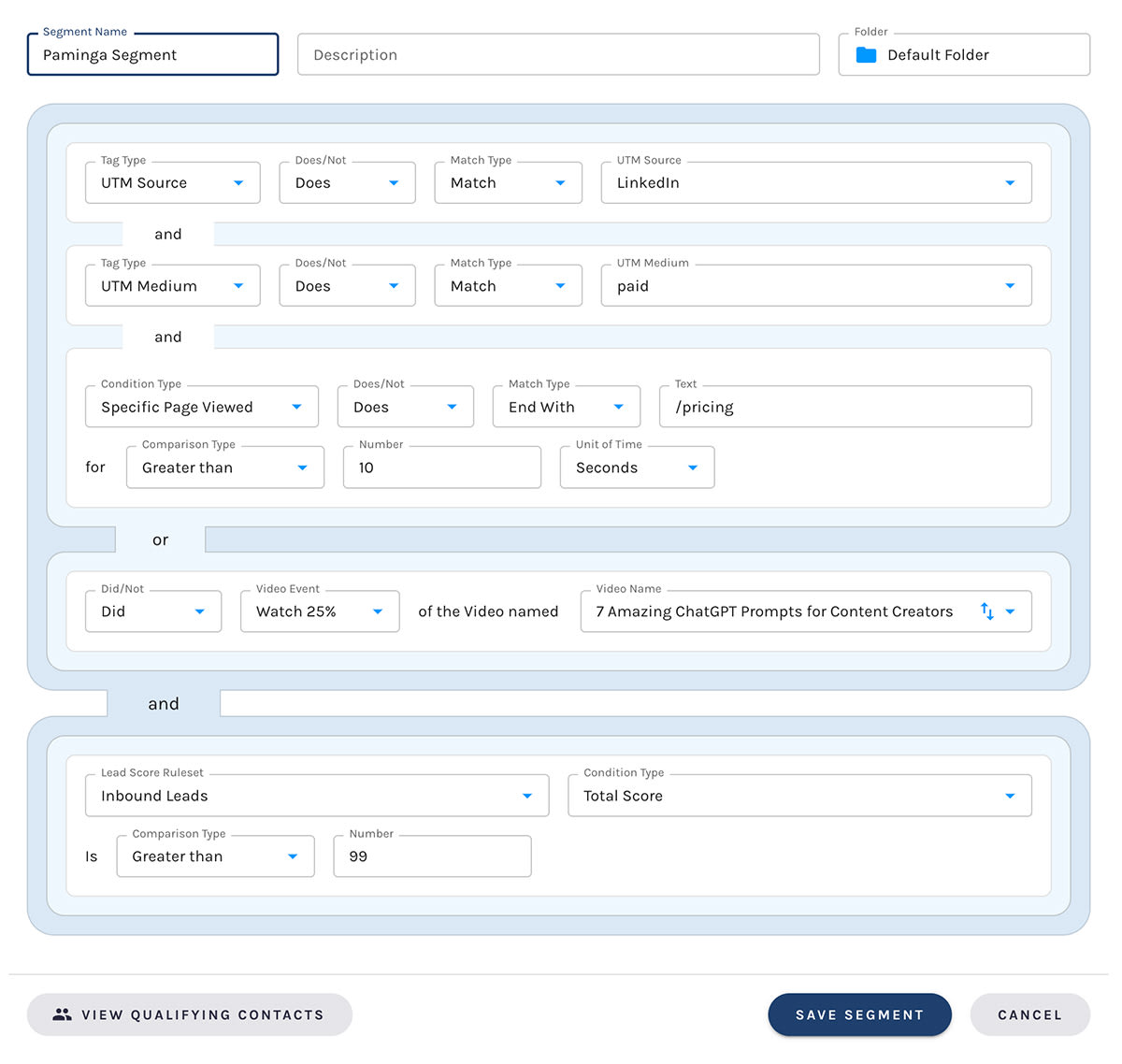
Advanced Conditions allow you to define conditions that combine demographics, firmographics, and behavioral/engagement in limitless combinations via Paminga's Segment Builder.
Complex Segment Example:
Global Segments
You may choose to use any Global Segment you have previously created to control your automation's audience.


