Text Messages
Text Messages add SMS to your marketing mix. You write a message once here, then send it from a Drip Series alongside your emails, so a webinar reminder can land in an inbox a day ahead and on a phone an hour before.
Messages are sent through your own Twilio account, so you'll need the Twilio integration connected before anything goes out. You can write messages before you connect.
Go to Marketing Center › Text Messages.
Text Messages:
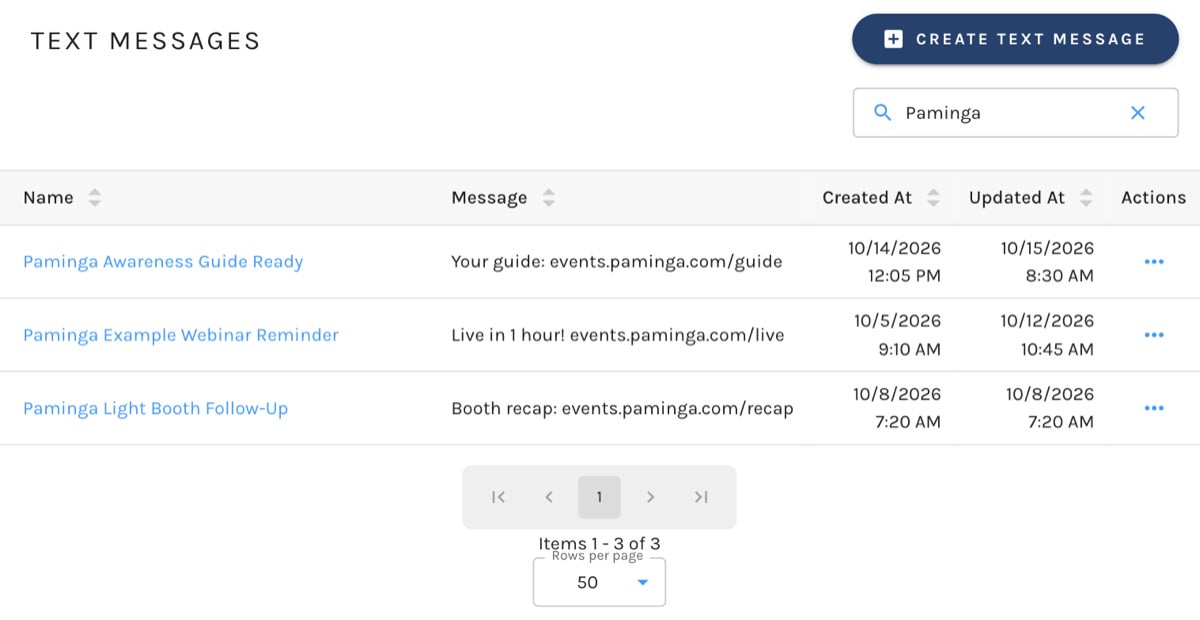
The Text Messages List
| Column | What it shows |
|---|---|
| Name | The message's internal name. Click it to edit the message. |
| Message | The message itself. |
| Created At | When the message was created. |
| Updated At | When the message was last changed. |
Messages are listed by name. Search by name with the search box above the list.
Create a Text Message
- Click Create Text Message.
- Enter a Text Message Name. It's for your team, and recipients never see it. Each name must be unique.
- Write the Message Content.
- Click Create.
Creating a Text Message:
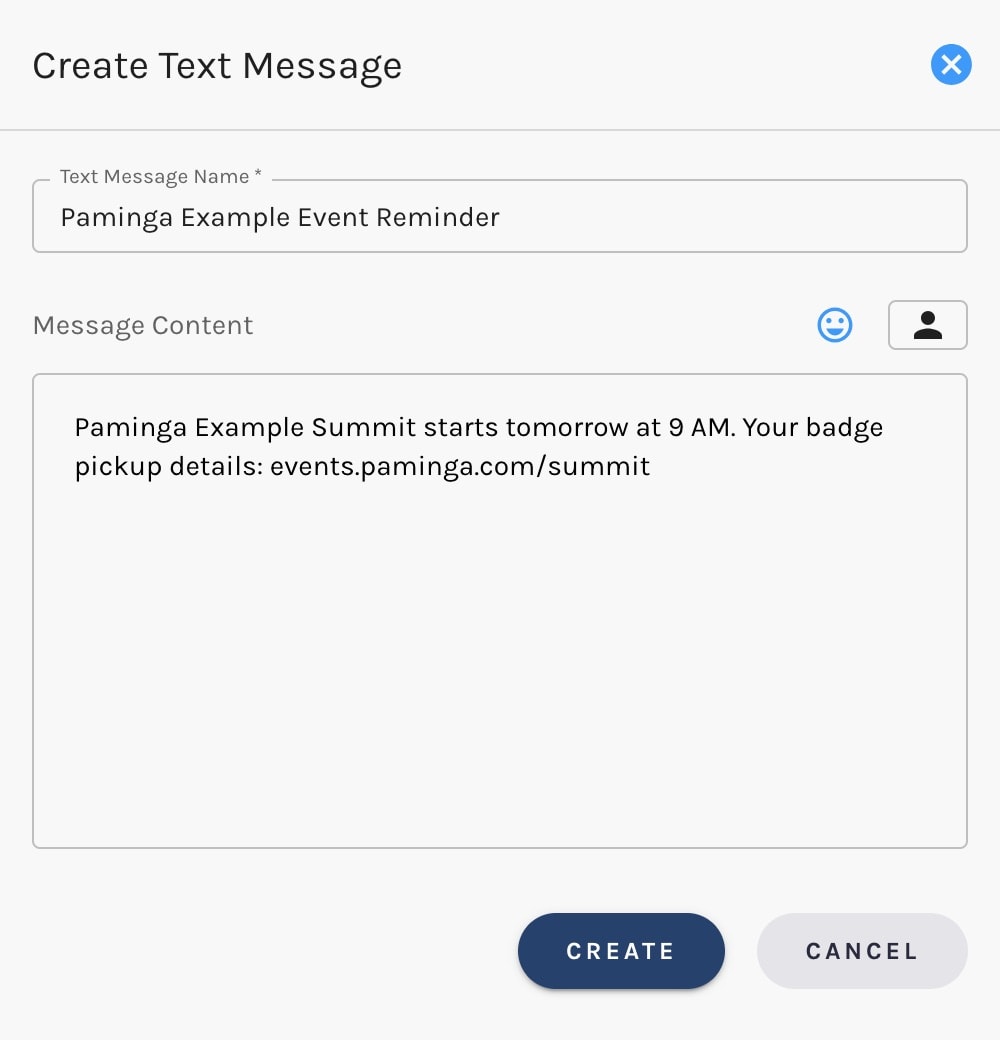
To change a message later, click its name, make your edits, and click Save.
Writing for SMS
A text message is plain text. Images and formatting aren't sent, and a link is sent as the bare URL, which the recipient's phone will usually make tappable.
Keep messages short. Twilio bills by the segment, not by the message, and a long message is split into several segments, each billed separately. See Billed by Segment, not by Message for the details.
Manage Your Text Messages
Each row's actions let you:
- Edit the message
- Clone it. You'll be asked to name the copy, which is the quickest way to start a variation of a message that works
- Delete it
Send a Text Message
Text messages are sent from a Drip Series. Once Twilio is connected, use the plus (+) between steps on the Actions step and choose Add Text Message, then pick the message to send. If Add Text Message isn't offered, Twilio isn't connected yet.
Each message goes to the contact's Mobile Phone. A contact without a mobile phone number on file doesn't receive one.


