Nurture Campaigns That Run Themselves
A Drip Series is Paminga's purpose-built tool for linear nurture — consistent messaging, consistent cadence, zero overhead.
When you need a straightforward sequence of emails delivered over time, a Drip Series is the right tool. Not every campaign needs branching logic. Some just need to run reliably, in order, until a contact achieves a goal or completes the series.
Drip Series vs. Workflow Builder
Two tools. Two different jobs.
Paminga gives you both engines because the right tool depends on what your program actually requires — not what the platform forces you to use.
Complex, multi-branch automation
Journeys that go in different directions based on contact behavior and conditions.
Multi-branch logic and conditional splits
Live editing without rebuilding
Full node library: merge, go-to, A/B test
Best for lifecycle journeys and complex programs
Linear nurture on a defined cadence
A defined sequence of emails delivered consistently. Simpler to build, easier to maintain.
Ordered email sequence with delivery delays
Goal-based completion with conditional actions
Campaign-level settings waterfall to every send
Best for ongoing nurture that doesn't need branching
Define Your Audience Once
The same audience builder. Right inside the series.
The same audience builder you use everywhere in Paminga is built directly into the Drip Series object. Set simple conditions based on list membership, or go advanced and build the same depth of segmentation available anywhere else in the platform — CRM fields, behavioral data, lead scores, UTM source, video engagement, and more.
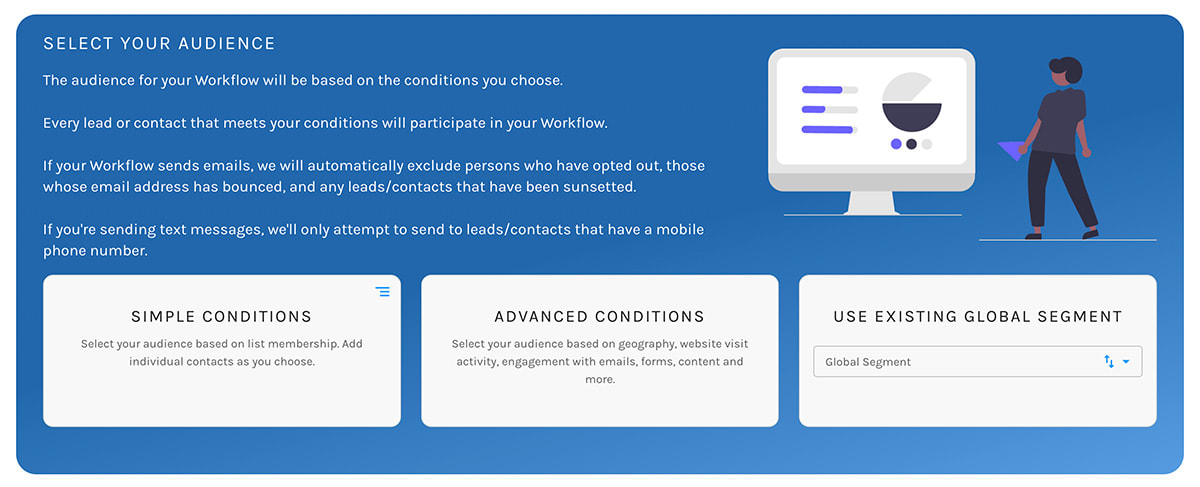
Your audience criteria lives inside the Drip Series. Not in a separate list you have to maintain alongside it.
Build Your Sequence
Simple by design. Powerful where it counts.
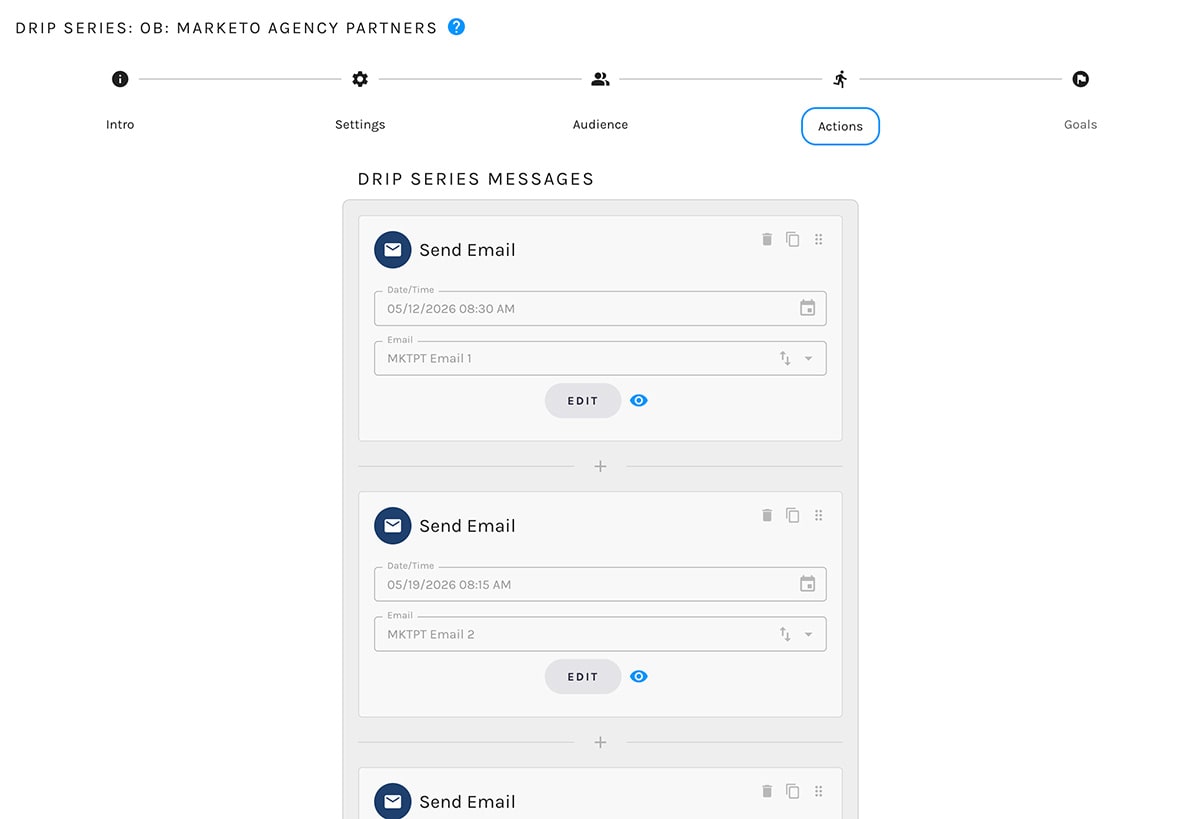
Each step in your Drip Series is an email paired with a delivery delay. Set the wait between sends in any combination of weeks, days, hours, or minutes. Select the email. Repeat. The sequence is linear, visible, and easy to audit.
The series is linear. The messaging inside it doesn't have to be. Within each email you can still apply conditional display logic and Liquid scripting to personalize content for individual recipients.
Welcome to the Series
Introductory email — sets context and expectations
Send immediately
The Core Value Proposition
Deep dive into what makes Paminga different
Wait 3 days
Customer Story
Social proof — real outcomes from real customers
Wait 4 days
The CTA
Demo request or trial prompt with urgency
Wait 5 days
Last Touch
Final follow-up before series completes
Wait 7 days
Campaign-Level Settings
Configure once. Applied to every send.
Rather than configuring every email individually, Drip Series settings apply at the campaign level and waterfall down to every send automatically.
UTM Tagging
Set campaign, source, and medium once at the series level. Every email inherits those parameters automatically.
Delivery Windows
Restrict sends to specific days or times, and honor recipient time zones for every email in the series.
Consent Filtering
Restrict sends to contacts with explicit data processing consent. Essential for GDPR and CCPA programs.
Tracking Controls
Disable open and click tracking at the series level when your program requires it.
Perpetual or One-Time
Run as an always-on program that enrolls contacts as they qualify, or as a one-time launch to a defined audience.
Goal-Based Completion
Define success. Let Paminga handle the rest.
Goals are what the system listens for in order to mark a contact as completed. Set multiple goals with no limit on the number. When a contact achieves any goal, they exit the series.
Global Actions
Triggered for every contact who achieves the goal — regardless of their state at the time of completion. Applies universally across all completions in the series.
Conditional Actions
Triggered only for contacts who meet specific criteria at the time of goal achievement. So completion doesn't have to mean the same thing for every contact.
Example: A contact books a demo (goal achieved). The global action moves them out of the nurture series. A conditional action — triggered only for contacts with a lead score above 80 — also creates an opportunity in Salesforce and alerts the account owner.
See It in Action
See how a Drip Series runs from audience definition to goal-based completion — in a live platform walkthrough.



Built with pride in Denver, Colorado, USA
Copyright © Paminga, Inc. 2026All rights reserved. Various trademarks held by their respective owners.