See Exactly Where The Clicks Actually Happened
Most email reports tell you what got clicked. They don't tell you where people almost clicked, or why the wrong thing got the traffic.
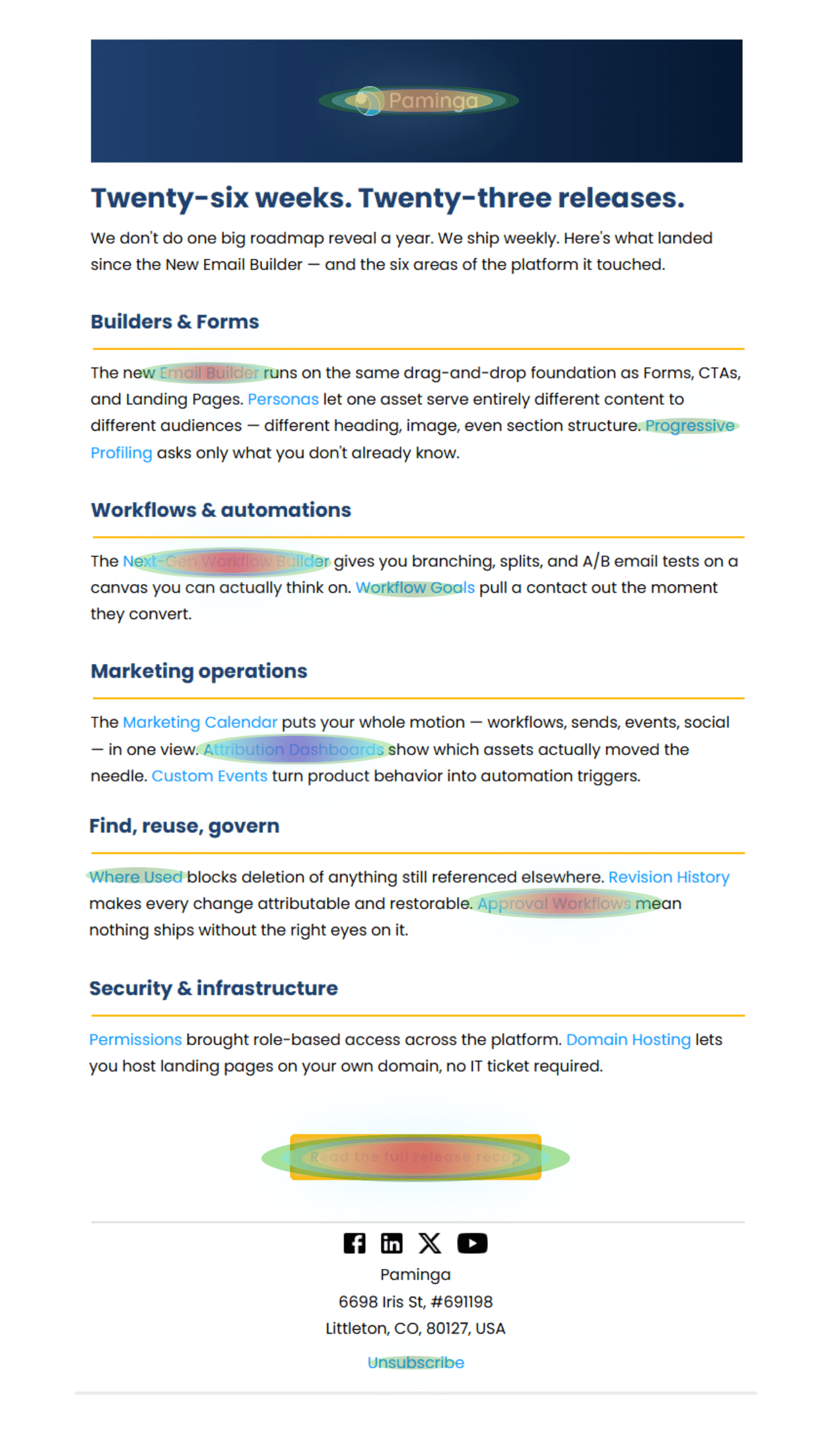
Paminga's Email Heatmap puts a color-coded overlay directly on your actual email — so instead of reading a table of link names, you're looking at your email the way your contacts saw it, with hot spots marked right where they happened.
See The Click, Not Just The Count
Every link, mapped exactly where it happened.
Every link gets a dot on the email itself, sized and colored by volume, next to a ranked table showing clicks and percent of total.
You'll catch things a flat report hides — a footer link outpulling your CTA, a logo click that should've been a button click, an unsubscribe link getting more action than you'd like.
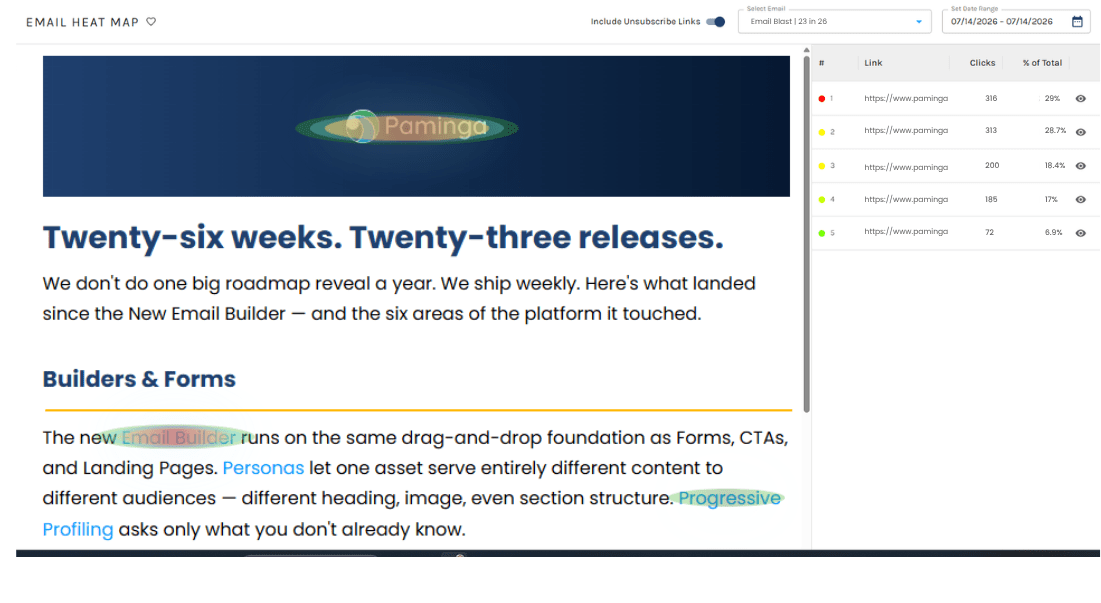
You can toggle unsubscribe clicks in or out of the view — so they don't skew your read on real engagement when that's not what you're trying to measure.
Down to the Contact. Live, Not Next-Day.
Individual clicks. As they happen.
Every click resolves to a person, and the data reflects what just happened — not what happened last night.
See exactly who clicked.
Click into any link and get the full list of who clicked it — no CRM report required to check one account.
Name, email, and IP address
User agent and device context
Sent time and click time
Answers "did this account engage" in one click
Live from the first click.
Heatmap data starts populating as soon as clicks come in — not on a next-day report.
No batch delay
No nightly job to wait on
Send an email, watch the map fill in
Data reflects what just happened
No Separate Tool To Learn
It lives right where you already work.
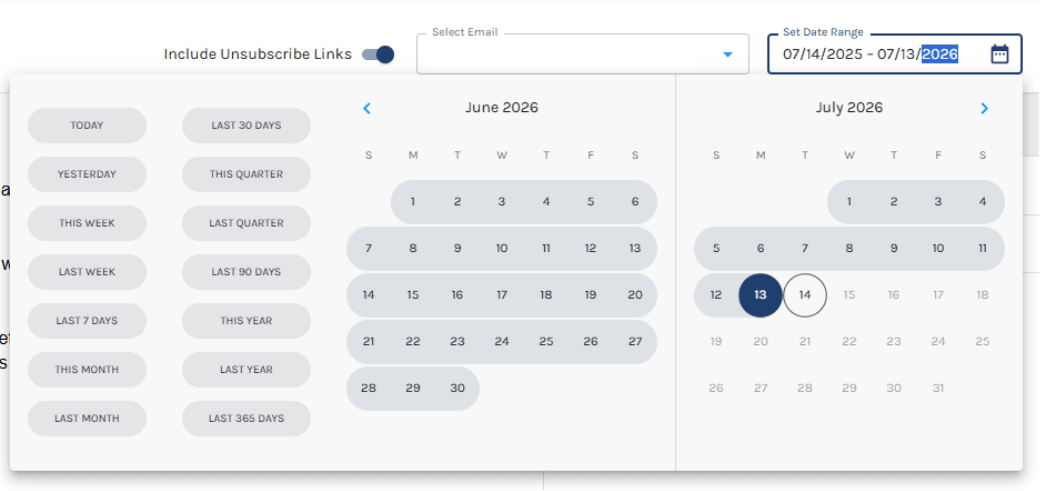
The heatmap lives inside Reporting and on every individual email's actions menu, with a full date range picker — presets or custom — so you can look at a single send or roll several weeks together.
Presets for the common windows, or a fully custom range — apply it once and the whole view scopes to it, whether you're checking a single send or comparing several weeks.
Inside Reporting
The heatmap lives right inside the Reporting suite you already use — no separate dashboard to learn, no new tab to bookmark.
Every Email's Actions Menu
Open the heatmap straight from any individual email's actions menu for a fast, single-send view.
Full Date Range Picker
Presets or custom ranges — look at a single send, or roll several weeks together.
It's on every account, not locked behind a tier.
See It in Action
See how Paminga's Email Heatmap turns a flat click report into a live map of what people actually did.



Built with pride in Denver, Colorado, USA
Copyright © Paminga, Inc. 2026All rights reserved. Various trademarks held by their respective owners.