Automation Without Limits
Design, build, and manage complex marketing automation workflows on a single visual canvas — with every step, branch, condition, and action visible at a glance.
Paminga's Workflow Builder was built for the MOps professional who needs precision, transparency, and control. Not a simplified drag-and-drop toy. A real automation engine that handles the complexity your programs actually require.
Built for How MOps Actually Works
Power and visibility. You shouldn't have to choose.
Most workflow builders force a tradeoff between power and visibility. Either you get a simple linear sequence that can't handle real branching logic, or you get a powerful engine buried in layers of abstraction that nobody can audit without tribal knowledge.
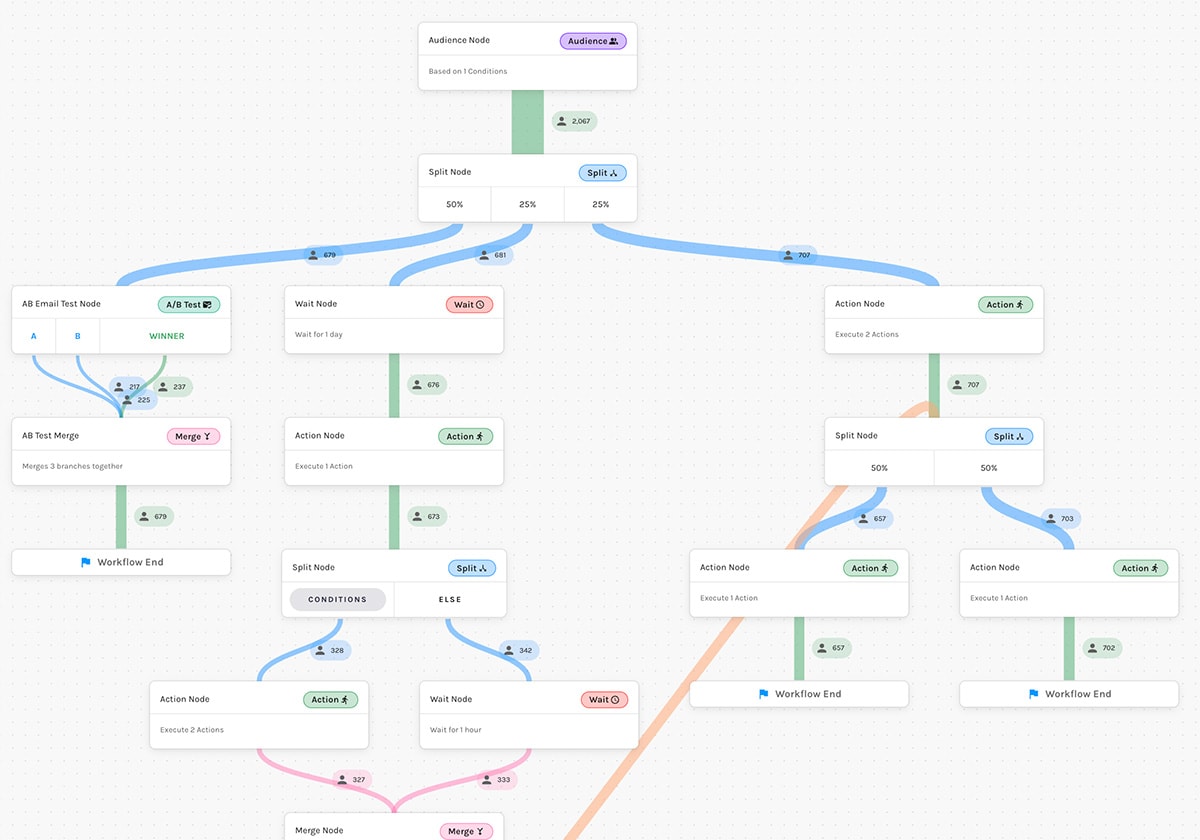
Paminga's Workflow Builder gives you both. Every contact's path through the workflow is visible — every condition, every branch, every merge point. You can edit live workflows without rebuilding from scratch. And every action completes before a contact moves to the next node, so there are no race conditions and no guessing.
Every step visible on a single canvas
No hidden logic. No nested menus. Your entire workflow — every branch, every condition, every action — lives on one visual canvas. Anyone on your team can open it and understand exactly what's happening and why.
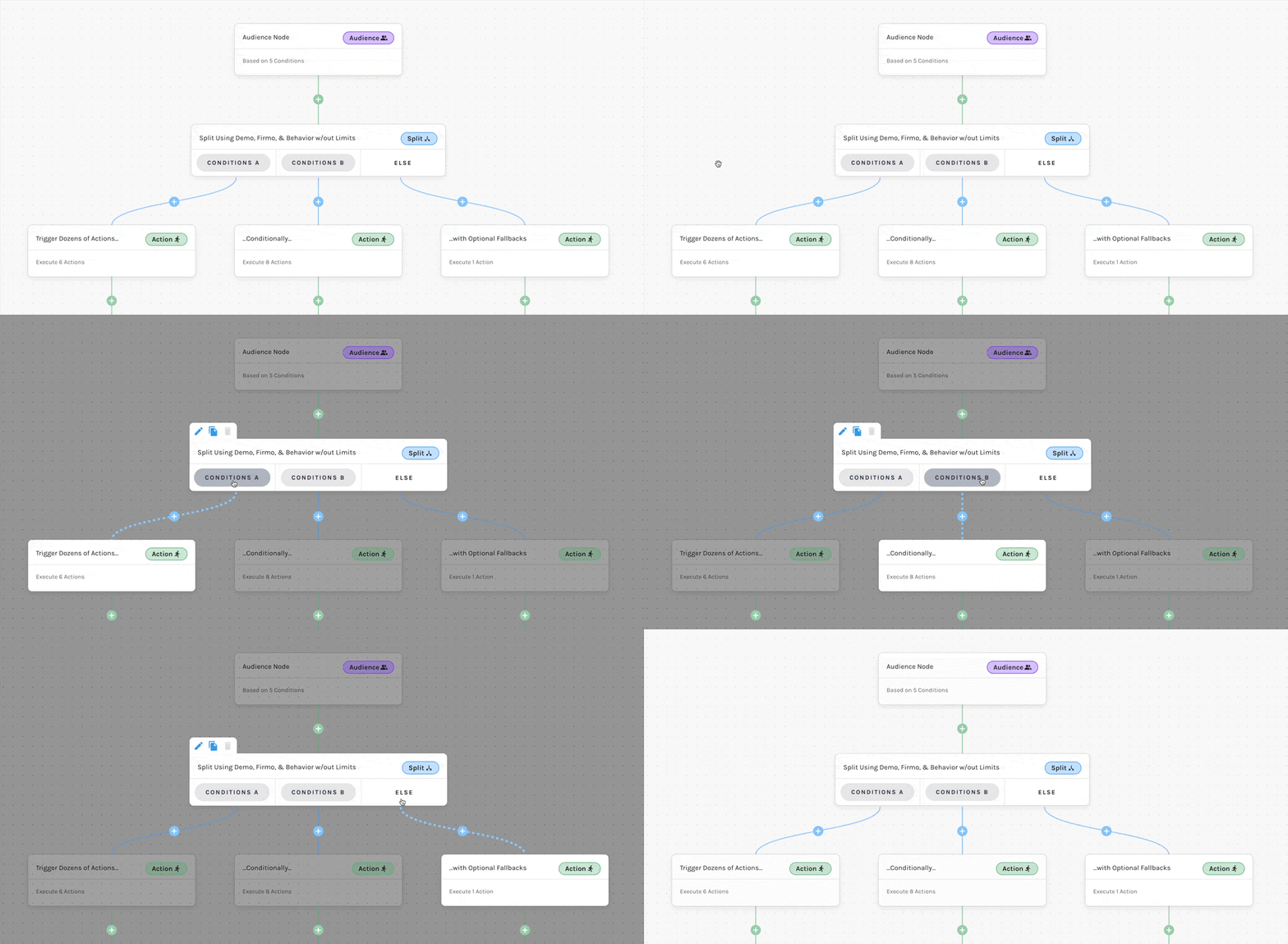
Edit live without taking it offline
Workflow updates happen in production — not in a duplicate you have to swap in and hope works. Make changes to live workflows, save them, and they take effect without disrupting contacts already in motion.
Node Types
All the nodes you need. Nothing you don't.
Every node type in Paminga's Workflow Builder was designed to handle real program complexity — not just the easy cases.
Audience Node
Define exactly which contacts qualify to enter your workflow — using any combination of behavioral, demographic, firmographic, and CRM data. The audience criteria lives at the entry point, not buried in a separate list.
Action Node
Trigger any of Paminga's actions at any point in the workflow — send emails, update CRM fields, adjust lead scores, add to lists, trigger webhooks, and more. Contacts don't advance until all actions have completed. No race conditions.
Conditional Split Node
Branch your workflow based on any condition — contact data, behavioral signals, lead scores, CRM fields, or engagement history. Build as many branches as your logic requires.
A/B Email Test Node
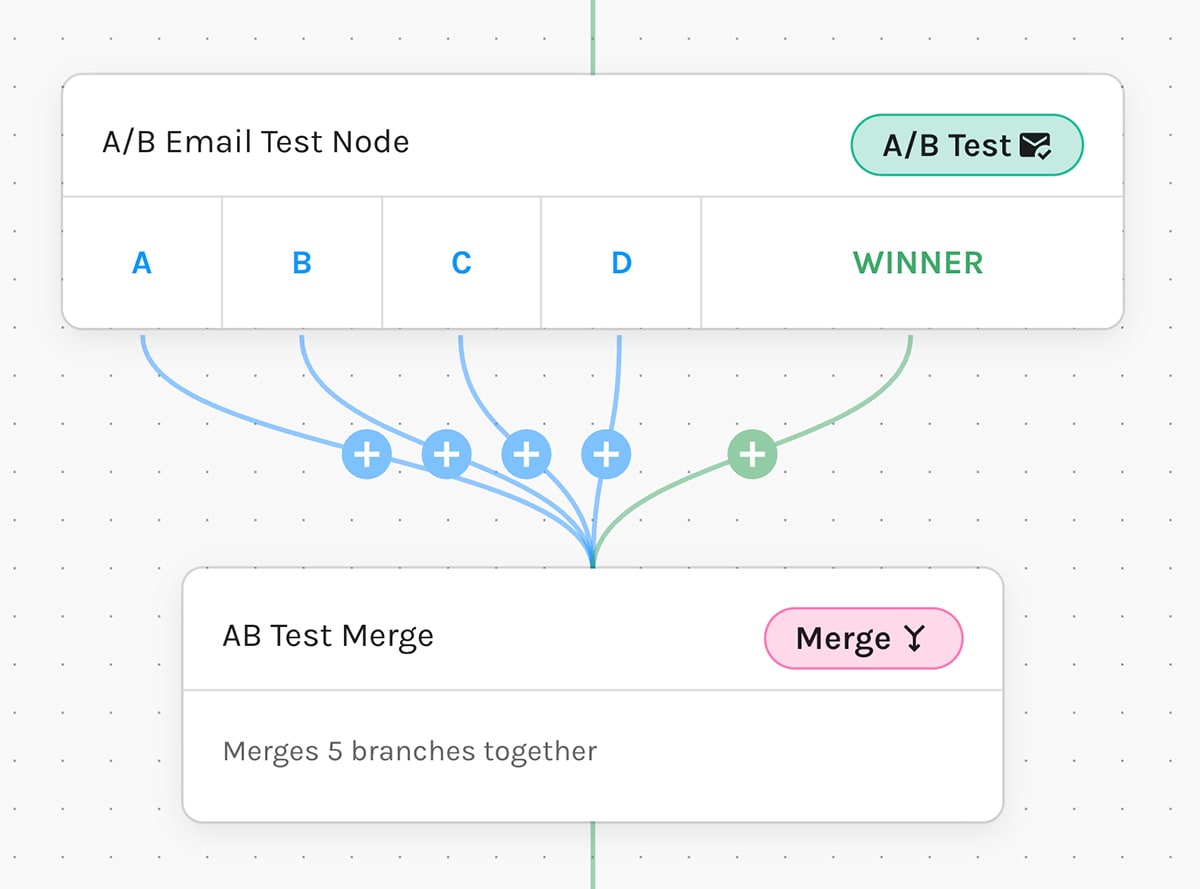
Split test email engagement at any point in the workflow — not just at the send level. Test up to four email variants and let performance data determine the path forward.
Random Split Node
Distribute contacts across branches at random for true A/B testing of workflow paths, messaging sequences, or timing strategies.
Wait Node
Pause contact progression for a defined period — by duration, by date, or until a specific condition is met.
Merge Node
Bring separate branches back together into a single path. Essential for complex journeys where multiple entry conditions converge on a common next step.
Go To Node
Jump to any node in the workflow. Create controlled loops for re-engagement sequences, retry logic, or recurring nurture programs without duplicating workflow architecture.
What You Can Do That Other Platforms Can't
The capabilities that actually matter.
Edit live workflows without taking them offline or rebuilding from scratch. Make updates in production. Changes take effect immediately without disrupting contacts already in motion.
Build branching logic of any complexity on a single visual canvas — no hidden steps, no black box. Every path is visible and auditable at a glance.
Connect workflow actions directly to your CRM — Salesforce, Dynamics 365, and IFS — with sync that keeps up with your data in real time.
Audit any workflow at a glance — no tribal knowledge required to understand what's happening and why. Anyone on your team can open it and read it.
Ready to build automation that actually works?
See the Workflow Builder in action — no pitch deck, no pressure.



Built with pride in Denver, Colorado, USA
Copyright © Paminga, Inc. 2026All rights reserved. Various trademarks held by their respective owners.