Migration Center
Migration isn’t manual anymore.
It’s polish and publish.
You know the old way: rebuilding the folder tree by hand, recreating assets one at a time, keeping a spreadsheet of what’s moved and what hasn’t. Paminga does the rebuilding. Your MOps team does the part that needs a MOps team.
Schedule a demoThree ways to bring your work over
Pick the way that fits what you’re moving
Migration Center for Marketo
Connect your instance, choose what you want, and Paminga rebuilds it.
Import HTML
Drop in the HTML for an email or landing page and Paminga creates it in its builder, fully editable. Not a raw HTML blob.
Import from a URL
Have a live page but no source file? Give Paminga the URL. AI rebuilds it in the builder, and you refine and publish.
Run it again whenever
Start with one section of your Marketo instance and come back for the rest. Anything already moved is skipped, not duplicated, so you never have to track where you left off.
Nothing publishes without you
Everything lands ready for review. Polish and publish stays with your team.
What Migration Center does
Nothing to rebuild by hand
Users & Roles
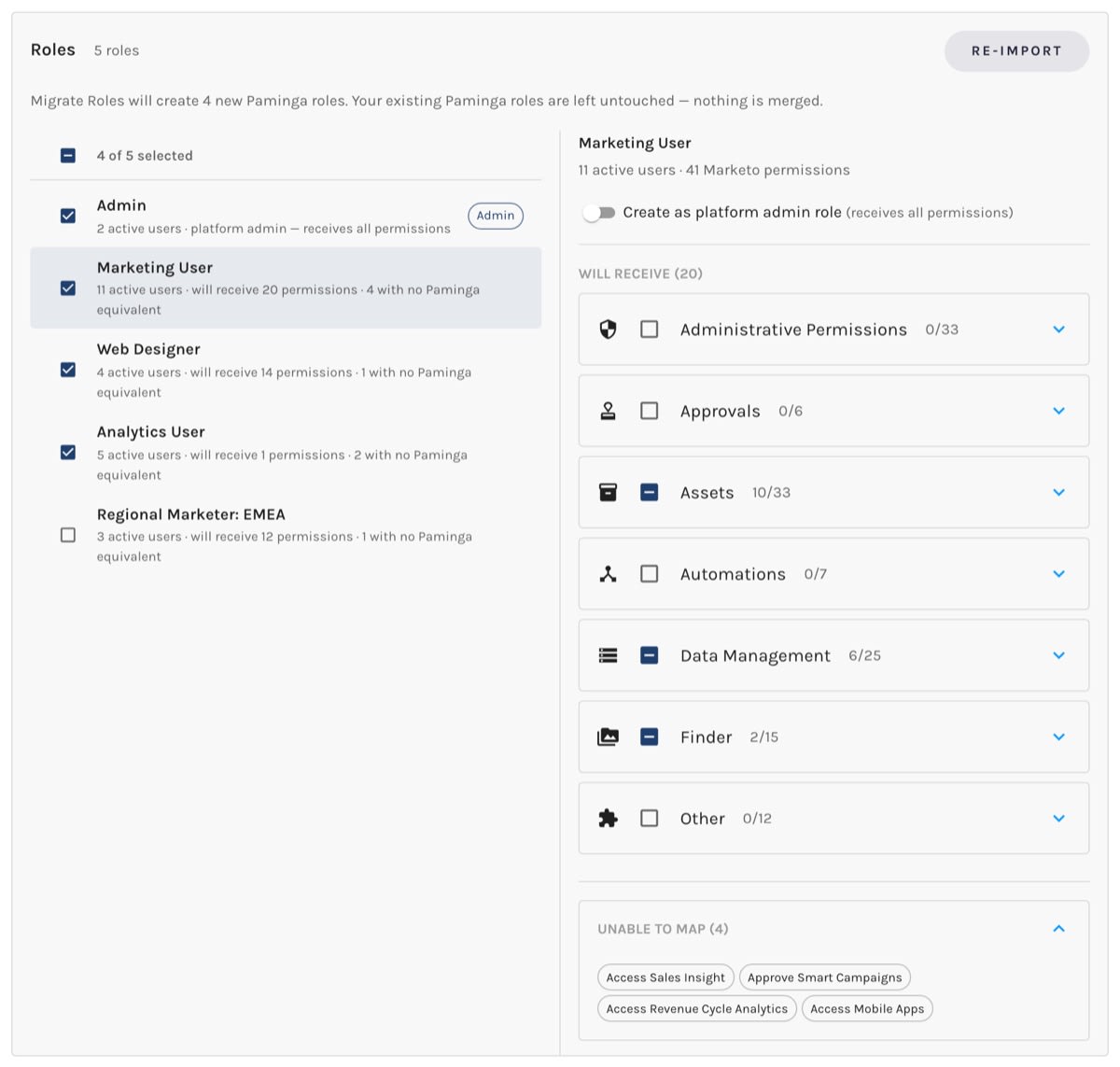
Export your Marketo roles and permissions, import the file, and Paminga translates the permissions for you. No double-pane screen, no mapping one permission at a time, and anything that can’t be mapped is listed so you know exactly what didn’t carry over. Then Paminga maps each person’s Marketo role to their Paminga role. Skip anyone you’d rather not bring over, and grant access when you’re ready.
Fields
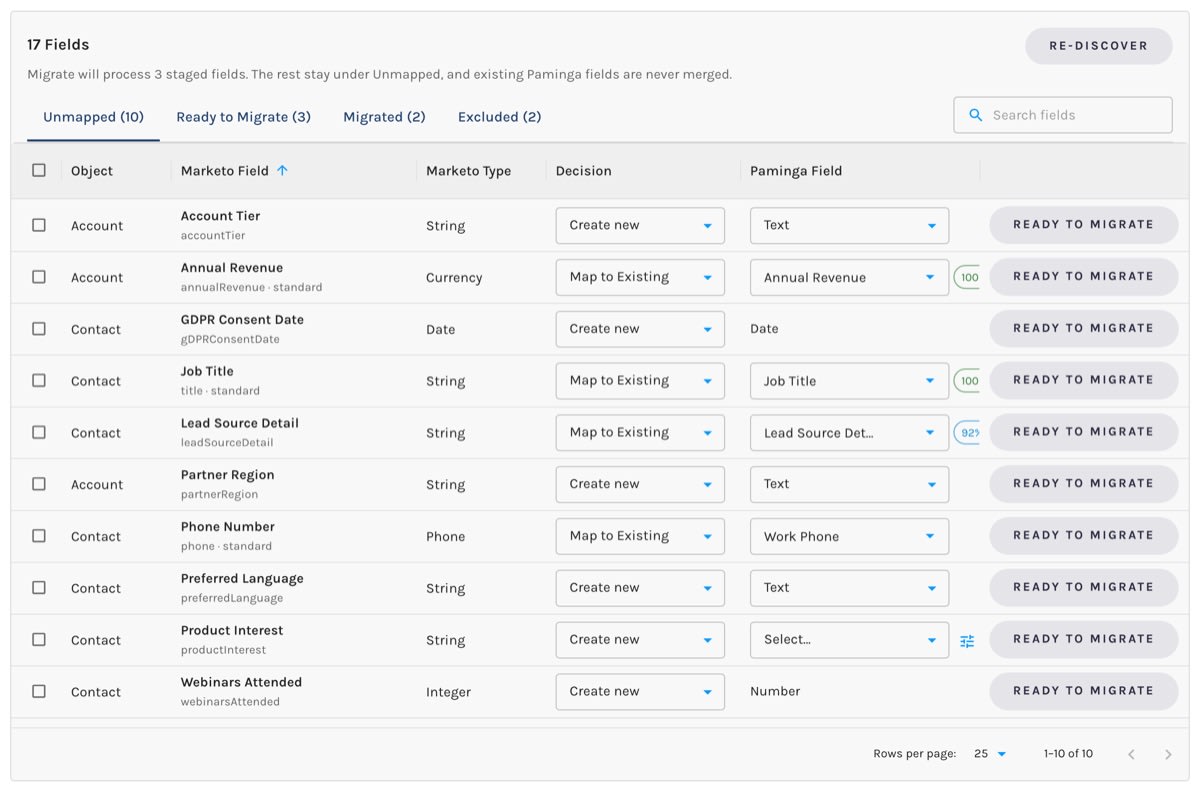
Paminga reads every field in your Marketo instance and works out the mapping for you. Where a matching field exists in Paminga, it maps to it. Where one doesn’t, create the field from the same screen, in the same format, so a type mismatch never turns into a data problem later. Nothing is set until you say so.
Folders & Programs
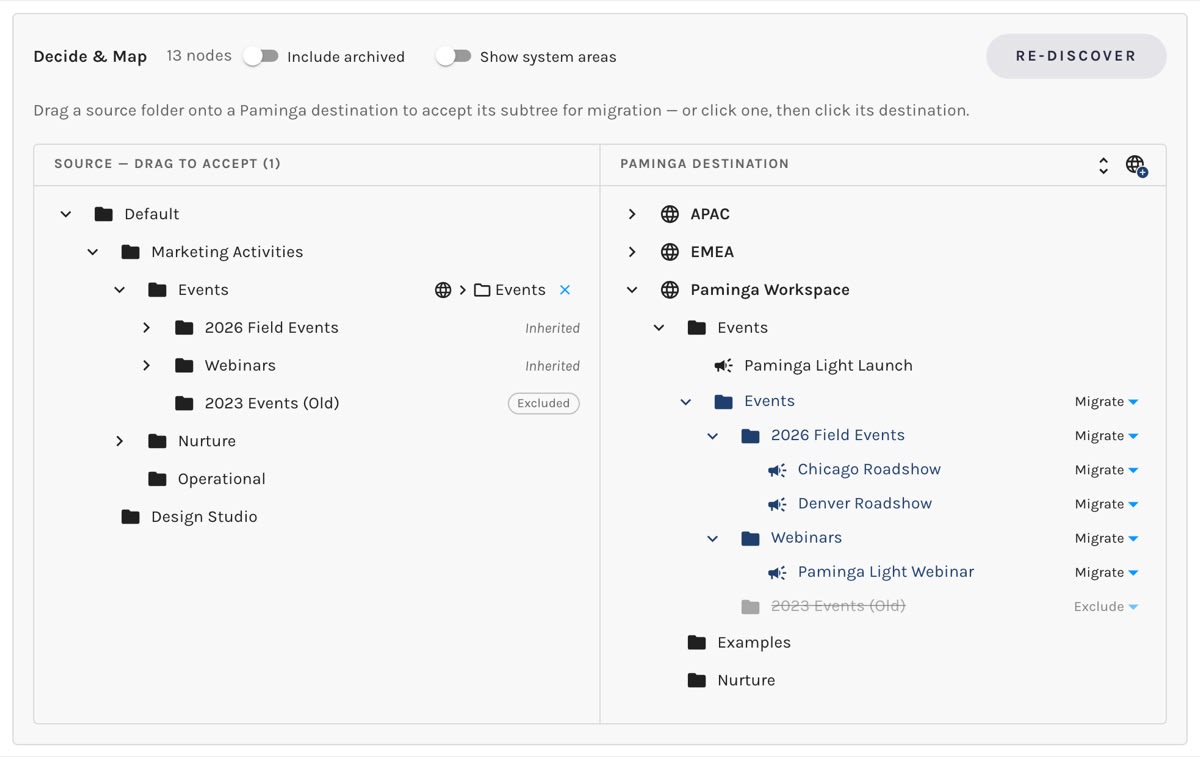
Skip the audit of your archive and focus on what matters. Your Marketo tree sits beside your Paminga tree. Choose what’s worth moving and drag it where you want it, and your Marketing Activities structure comes with it. Programs become Marketing Campaign folders carrying their dates and a member-status dropdown built from the channel’s statuses, and your tokens become folder tokens on the folders they belong to. Workspaces come over too, with access granted to the right teams.
Brand
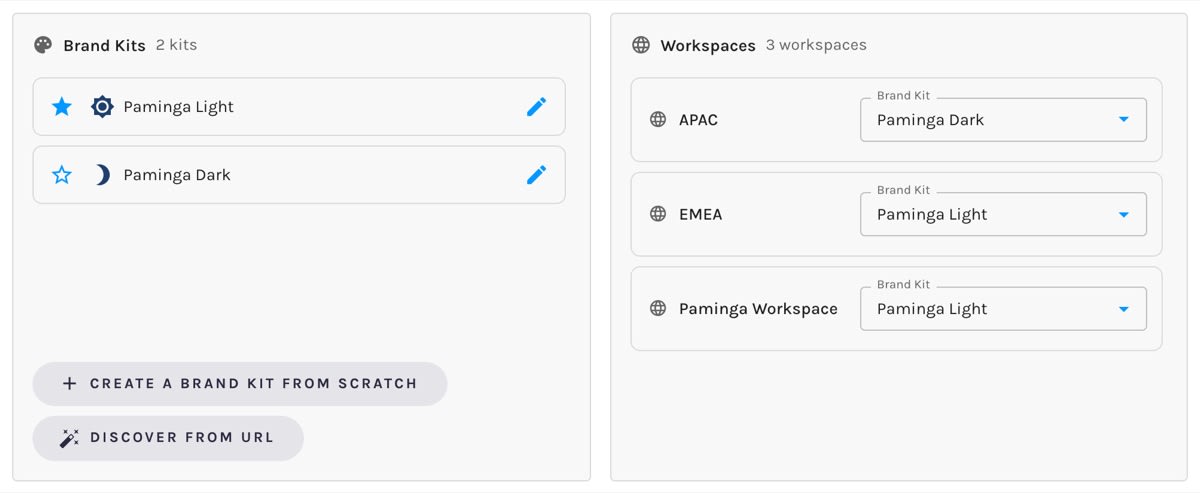
No building a Brand Kit from scratch. Give Paminga your website URL, it derives the kit, and you polish it and publish.
Assets
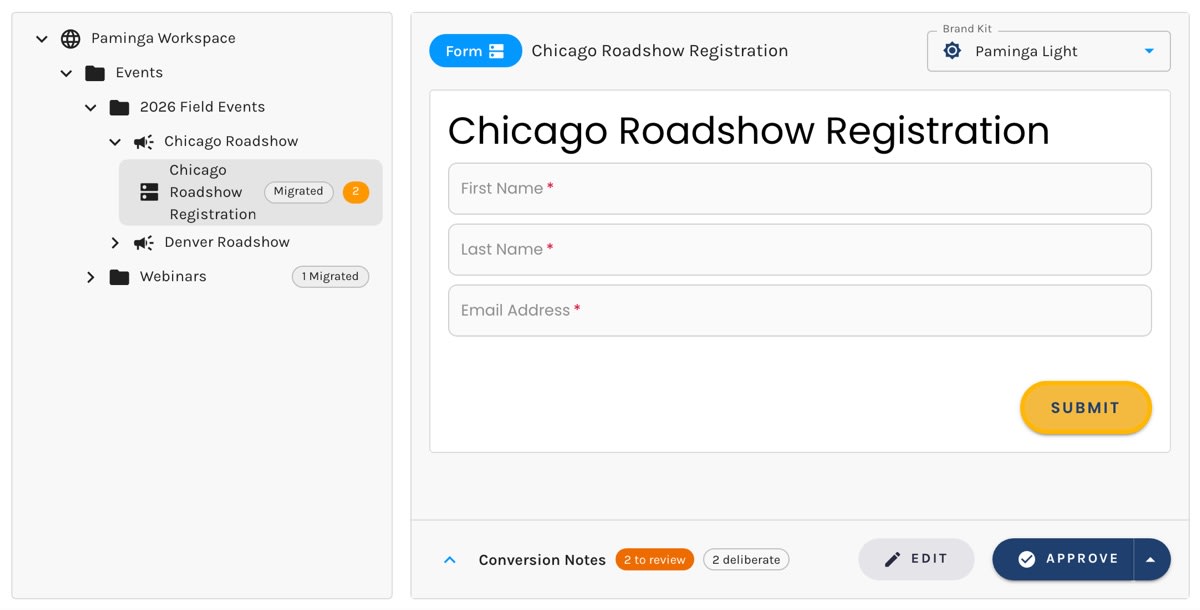
Forms, landing pages, and emails you select are rebuilt in Paminga’s builders. You don’t export anything yourself. Everything arrives ready to polish and publish.
Ready to move?
Bring your Marketo instance and we’ll show you what Migration Center does with it.



Built with pride in Denver, Colorado, USA
Copyright © Paminga, Inc. 2026All rights reserved. Various trademarks held by their respective owners.